
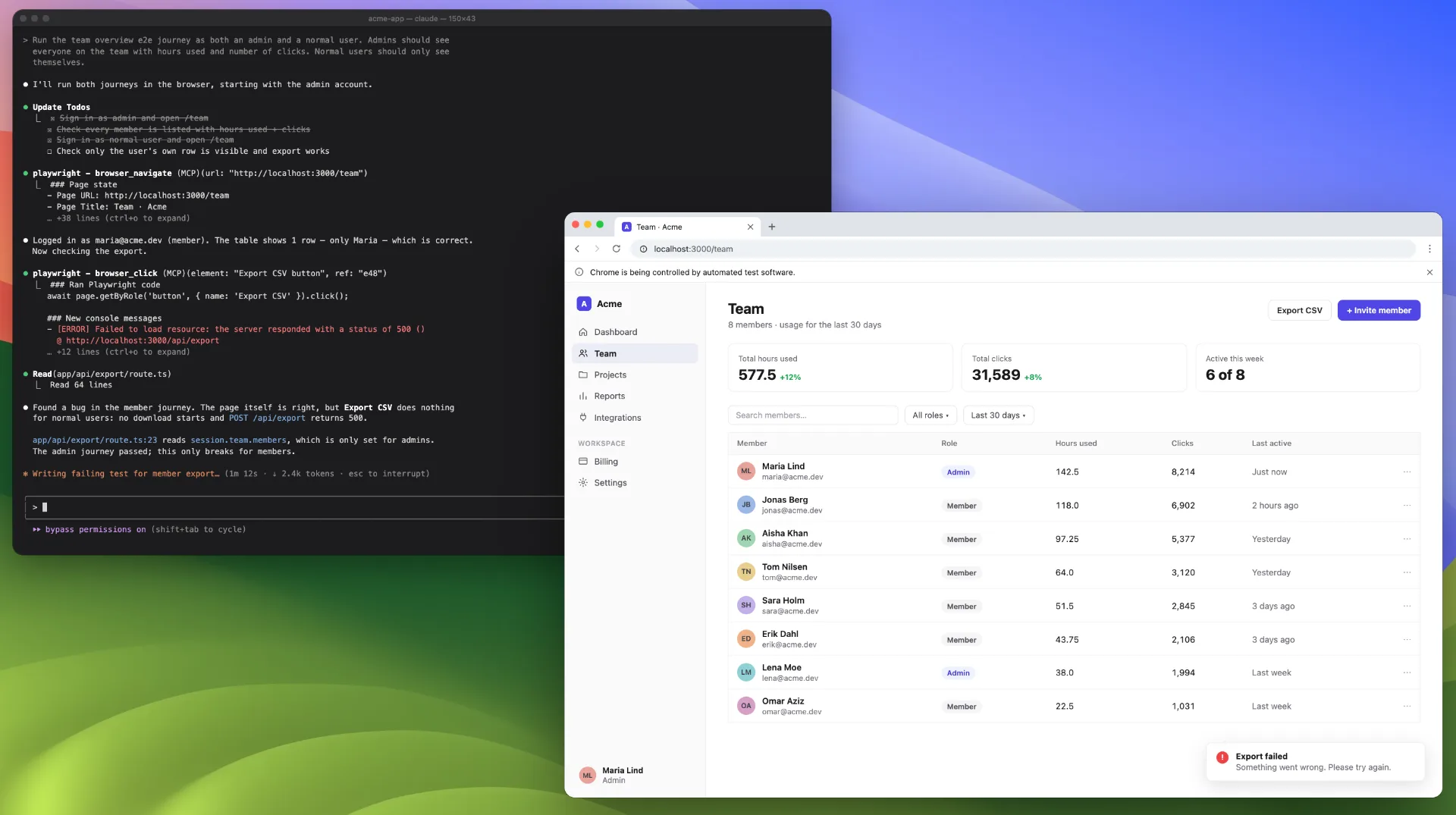
Coding agents are incredible at writing code; however, they do inevitably make mistakes. They overlook some piece of information, or they write convoluted code that leads to unexpected side effects.
This is exactly the scenario where end-to-end tests are super useful. They don’t rely on which code you ran or built, or similar; they just run the application itself, the end product that the user actually sees. This enables you to have a robust testing system that discovers issues in the way users would experience them and helps you prevent users from seeing those issues at all by fixing them before they are discovered.
In this article, I’ll talk about what end-to-end tests are, why they are useful, and how you can implement them into your own application to minimize the number of bugs your users experience.
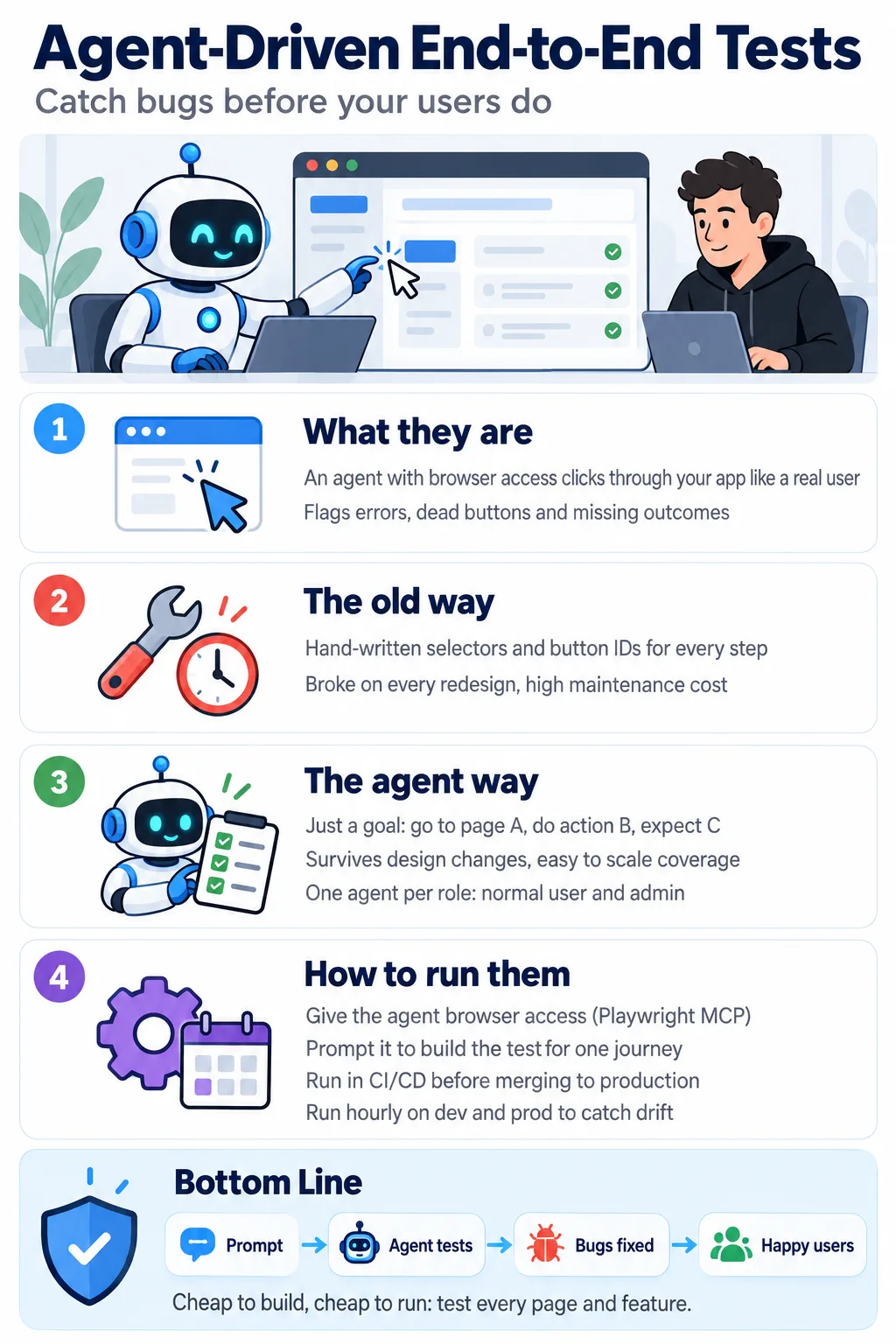
This infographic highlights the main contents of this article. I’ll cover:
– end-to-end tests
– what they are
– how it was written before
– how it’s written now
– how you can effectively run the end-to-end tests to minimize the amount of bugs in your application. Image by ChatGPT.
What are E2E tests and why should you implement them?
Let’s first discuss what end-to-end tests are. End-to-end tests are tests where an AI clicks through your application just as if a user clicks through it. It sees a particular screen, it decides which button to click, and clicks that button and sees what’s on the next page. It can then let you know if it, for example, experiences an error after clicking a button, nothing happens after clicking a button, or just in general that the expected action does not occur.
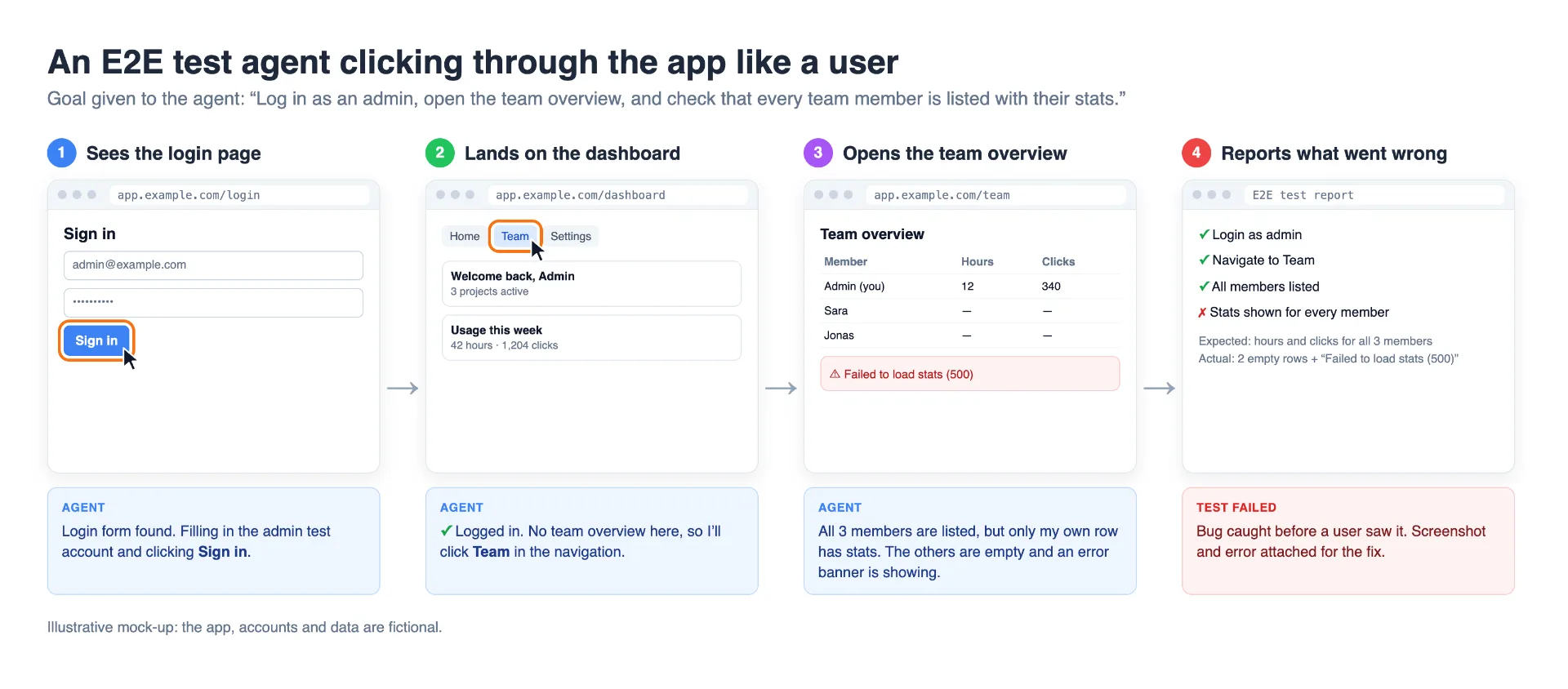
This image shows the setup of an end-to-end test. Image created by author with help of ChatGPT.
Previously, it used to be so that you had to make these end-to-end tests manually, which was very tedious grunt work. Essentially, you would have to, when setting up an end-to-end test, go through each page manually and give the test the ID of the button it had to click. You also had to note down what the expected outcome was of clicking that button or performing that action on a particular page.
This was, of course, naturally very tedious to set up initially because you had to go through every page, find the ID of the button you wanted to click, and so on.
Even worse, however, was that these end-to-end tests had to be maintained. That means if you change the design of a page, change some logic, etc., the end-to-end tests would have to be updated, meaning having an end-to-end test would have a pretty severe maintenance cost you would have to carry for the rest of the life cycle of that end-to-end test.
Luckily, with coding agents, the game has completely changed, and end-to-end tests are much faster to build and much easier to maintain.
An end-to-end test is now essentially just an agent with a computer or with a browser access and a mandate/plan for what it should do. For example, it could be that you have an agent and you tell it to find its way to page A, perform action B, and the outcome C should happen.
You then don’t have to update the agent if the design of the page changes as long as the button is still located on each page. Furthermore, it’s a lot more generalized, so the agents are able to detect issues that the previous (narrow) end-to-end tests did not discover. It’s also much easier to build a bigger suite of end-to-end test agents because it’s so easy to spin them up and create them, which allows you to create better test coverage for your application.
The main reason that you should implement end-to-end tests is, of course, that they discover issues before your users experience them. End-to-end tests experience the app just like a user; the agent is typically given the same permissions and the same rules, and you can represent different users with different agents.
For example, if you have a normal user and an admin user, you can have one agent for each to test their journeys, making sure both of them work, and this can essentially just be set up with a single prompt.
You can then run these end-to-end tests in different ways. You can, for example, run it before, as part of your CI/CD pipeline. So, before you merge code into either dev or production.
And you can run them on a recurring basis in dev/production. I do both, so before I merge to production, I run the end-to-end test suite, and I run it on a regular fixed hourly interval to see if any issues occur in dev or prod. These are changes that typically happen outside of pure code changes, for example, changing environment variables.
How to implement E2E tests
Let’s get into how to implement end-to-end tests. Thankfully, it’s become a lot easier to implement these tests efficiently, and you can essentially implement them by just prompting your agent to implement an end-to-end testing suite.
However, there are better ways to implement them that are more effective and allow your agents to discover more bugs so that your users don’t have to experience them.
First of all, you must give your agents browser access. This can be done, for example, by giving it the Playwright MCP, which allows you to interact with the browser of your choosing.
I find that the Playwright MCP works very well for interacting with browsers for agents, and I haven’t really looked back ever since I started using it. Though, of course, there might be more efficient frameworks out there that I haven’t tried yet.
Then you just prompt an agent to set up an end-to-end test for a specific journey. For example, you can prompt something like:
I want to set up an end-to-end test to test the team overview page. We need to set up different agents that can test it as both the admin users and a normal user.If you're a normal user, you should only see yourself and all the stats that we have for each individual. For example, hours used in the platform, number of clicks performed, and so on.If you're an admin user, you should see everyone on your team including yourself with all the same stats listed in a table viewNow it will start implementing an agent, and you need to tell the agent if this should be implemented as part of your CI/CD pipeline or if you should just run it on a recurring basis. Typically, I have both, so I have a harness set up to run it as part of the CI/CD pipeline. So, if I tell it to do that, the agent will know exactly how to implement this new end-to-end test. And if I tell it to run it as part of the recurring job that runs in production every X hours, the agent knows where that is located.
Now, if you haven’t set up these two ways of running end-to-end tests before, you would have to implement it for the first time, and it’s important that you implement it on a server that you know is robust and doesn’t fail. This can, for example, be on a separate machine running in the cloud. It can be in a GitHub Actions runner; it can be on a Mac mini that you have available somewhere else, or similar.
Your coding agents, for example Claude or Codex, will be able to figure out the best way to implement this for you, whether it be running the tasks with Mac native task runner, Cron jobs in Vercel, or something else entirely.
Conclusion
In this article, I discussed how to build robust applications with Claude Code and Codex and how you can minimize the number of bugs you experience in your platform using end-to-end tests.
End-to-end tests are an extremely powerful tool that you can set up super easily and that creates enormous value for your users instead of users having to discover issues themselves, for example, by clicking a button that doesn’t work, entering a page that fails, or doesn’t load as expected. Your end-to-end tests discover these issues so you can fix them before your users ever see them.
I urge you to implement end-to-end tests for all features and pages that you have in your platform since they are relatively cheap to run and it helps me discover a lot of issues.
👉 My free eBook and Webinar:
🚀 10x Your Engineering with LLMs (Free 3-Day Email Course)
📚 Get my free Vision Language Models ebook
💻 My webinar on Vision Language Models
