

We may receive a commission on purchases made from links.
More and more people are working from home. Remote work isn’t just for freelancers anymore. Office space is expensive, and it can be better to have workers accomplishing their tasks without having to go to the office.
However, if you’re used to going out to work, your home office area might not be conducive to a 9-to-5 work environment. Maybe you’re okay sitting with your laptop in bed or on the couch in front of the TV, but you’re better off turning your spare room, or even just a corner of your bedroom, into a home office.
While any kind of home renovation might seem like a daunting task, you don’t need the Property Brothers to create a workable office space in your house or apartment. You don’t need to break the bank, either. There are gadgets out there that make working from home easier and more productive. Here are ten gadgets that are useful additions to any home office that cost less than $100 each. You don’t need to spend big money to get big results, and the items on this list will enhance your home office and make you feel like a real professional, whether you’re typing away on your computer or chatting with friends and co-workers on Google Meet.
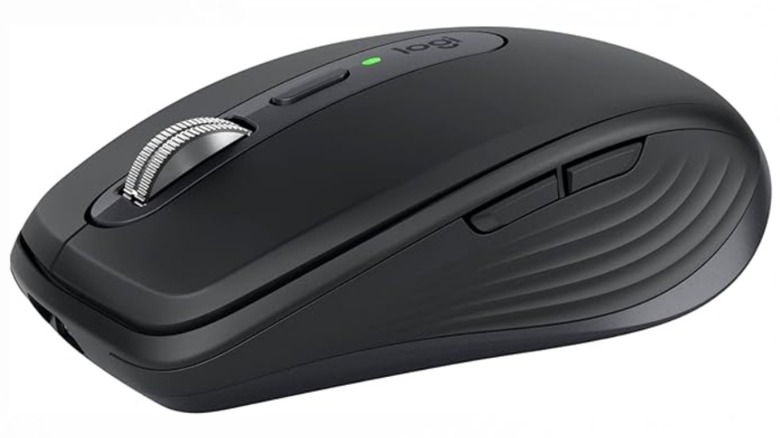
Logitech MX Anywhere 3S Compact Wireless Mouse
If you work from home, the centerpiece of your home office is your computer, whether it’s a desktop or just a laptop (on your desk). If your work involves any kind of precision control, an Amazon Basics mouse or your laptop trackpad isn’t going to cut it. You’re going to want to buy a real mouse, especially if you have to do something like video or photo editing, not to mention after-hours gaming.
For a cost-effective mouse under $100, a good option is the Logitech MX Anywhere 3S Compact Wireless Mouse. It has quiet buttons for a mouse and has a sensor capable of up to 8,000 dots per inch, or DPI. It weighs 99 grams, so it won’t feel like you’re dragging a cannonball across the bottom of the ocean after hours of work. The buttons are customizable, and you can even create macros to smooth out some repetitive tasks during work hours.
If there’s a main downside to the mouse, it’s its diminutive size. Seriously, this thing is small, which can be either a plus or a minus depending on the user. If you have small hands, the 3S will be cozy. If you have larger hands, though, you might find it a little uncomfortable during prolonged use.
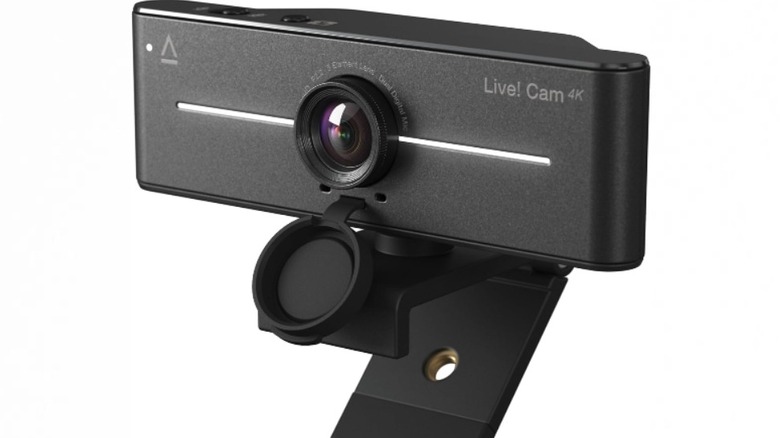
Creative Live! Cam 4K UHD Webcam
These days, being home doesn’t mean you can’t attend meetings or have face-to-face interactions with your co-workers. Thanks to Zoom, Google Meet, and other video communication platforms, you can talk with anyone over the internet. To that end, while your laptop webcam will suffice, it’s probably worth upgrading to something better.
For quick and easy 4K video calls, we recommend the Creative Live! Cam Sync 4K webcam. At only $76, it’s one of the cheaper 4K cameras out there. The official website and reviews say it tops out at 40 FPS when recording at 1080p. If recording at full 4K, you only get 25 FPS, which isn’t great, but it should more than suffice during the average Zoom call.
Reviews also criticize the poor color balance, something you’ll have to keep in mind while lighting your room. Overall, this is a webcam best used for Zoom calls and casual use. If you’re into YouTube content creation or Twitch streaming, you definitely want the ability to record at 60 FPS, though the 40 FPS 1080p mode will do in a pinch for beginners. You can always upgrade later after you get your feet wet, as they say.
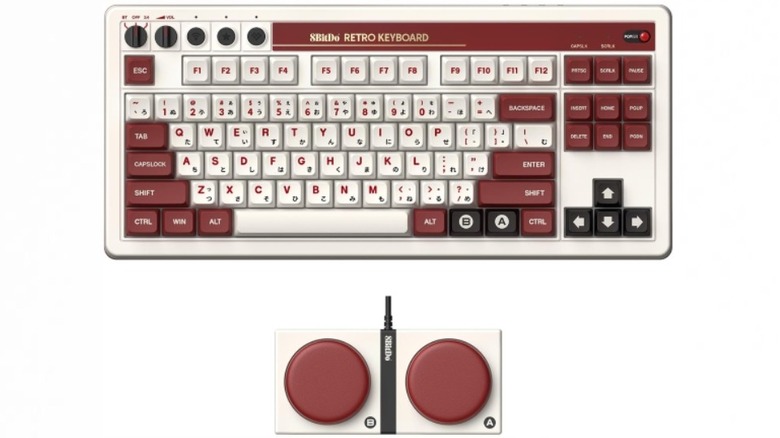
8Bitdo Retro Mechanical Keyboard for Windows & Android, Fami Edition
To some people, keyboards are interchangeable. Given enough time, a user can get used to any basic laptop keyboard. However, PC enthusiasts swear by mechanical keyboards, which offer tactile feedback and a pleasant “click-clack” sound when the keys are pressed.
8Bitdo makes accessories like gaming controllers, as well as a line of mechanical keyboards themed after various classic systems. I personally use the keyboard modeled after the Commodore 64 keyboard (the first computer I ever used as a boy!), but for this particular list, let’s look at the Famicom-themed 8Bitdo Retro Mechanical Keyboard for Windows & Android. There are also keyboards based on the American colors of the NES, Nintendo 64, and more generic palettes.
This keyboard is mechanical, which means it’s noisy, but in a satisfying way. You probably don’t want to bring this one to the office due to the noise, but it’s cozy in your home office. It can work via Bluetooth or USB, and comes with a pair of Super Buttons, programmable buttons that look like game show buzzers and can even have macros assigned to them. They’re a bit superfluous, but if you’re into streaming, they have their use. No, they’re not exactly a Stream Deck, but they’re easy to use and accessible macros are always handy.
EppieBasic 24W LED Desk Lamps with Clamp
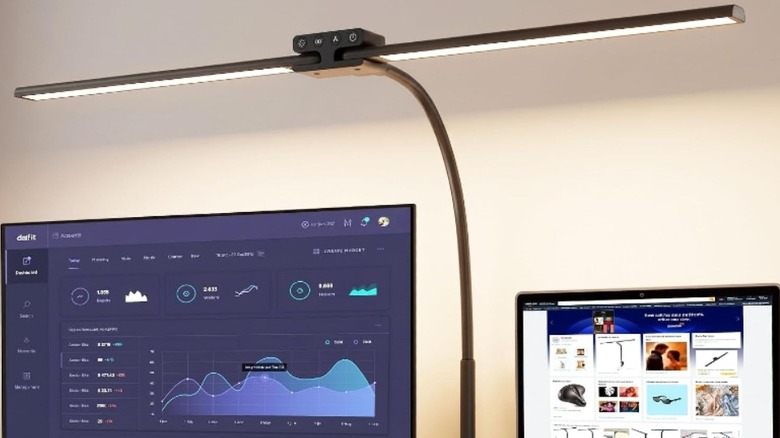
Eye strain is a very real phenomenon. If you plan on pulling an all-nighter, you’re going to want more light than just the computer monitor shooting blue light directly into your eyes. While you can use your bedroom lights, you’re better off getting a dedicated desk lamp. We recommend the EppieBasic 24W LED Desk Lamps with Clamp.
This product clamps onto the back of your desk and has an arm that extends above your monitor. By default, you have what’s basically a giant bar of light, but the lights pivot at the center, allowing them to extend forward over the main body of your desk. If your job involves writing with pen and paper on your desk, these lights will prove essential. You can’t fully adjust the colors on this unit, but you can alter the color temperature. You don’t have the same granular control as more premium models, but for $44, you could do a lot worse.
When working late at night, the warmer color tones can make the whole room more comfortable on your eyes. By the way, most computers also have “night modes” to reduce blue light, and if that’s still not enough, you can also invest in a pair of glasses that filter out blue light for more comfort.
KYY Portable Monitor 15.6 inches
If you’ve never rocked a dual-monitor setup, you might not get what all the fuss is about. However, if you’ve seen the light, it’s really hard to go back to a single-monitor setup. There’s a joy that comes with having all of your work on the main monitor and various distractions on your second screen, from YouTube and Discord to OBS and Zoom chats. Some people prefer ultrawide monitors, particularly for PC gaming, but I generally prefer having multiple screens for maximum versatility.
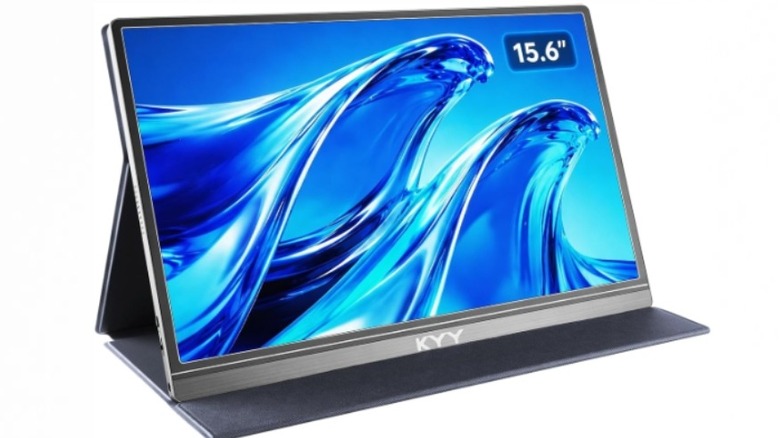
While you always want high-quality monitors whenever possible, you can afford to skimp on the second screen. If it’s just something you’re going to occasionally glance at, it doesn’t need to be 4K or have a 240Hz refresh rate. In fact, it can be pretty mediocre and you probably won’t notice too much. If there’s a word for the 15.6-inch KYY Portable Monitor, it’s mediocre, but for just $70, you get what you pay for.
This should be nobody’s primary screen. But as a secondary screen, it will suffice. It comes with a protective cover that’s also a stand, so you don’t need an extra accessory to prop up the monitor. The display is full HD, 1080p, at 60Hz. It’s nothing game-changing, but for something you’ll mostly be looking at with your peripheral vision, it gets the job done. You can always upgrade to a better monitor once you’ve saved up some more money.
Anker MagGo Power Bank
Generally, most computer setups don’t have any shortage of USB charging solutions. But even with a USB hub or two plugged into your computer, you’ll find that between your webcam, keyboard, mouse, microphone, video game controllers, external hard drives, flash data drives, and any number of other USB accessories, your ports can fill up quickly. As such, it’s good to have an extra battery handy for charging.
Take, for instance, the Anker MagGo Power Bank. It has 10,000mAh of juice and a 15W charging rate, and you can charge just about anythingly connect to the back of your iPhone and charge wirelessly. It also comes equipped with a handy kickstand that allows you to have your phone sit up and display its screen while charging
If you’re the kind of person who is out on the road for long periods of time, the MagGo is compact enough to easily carry with you. The magnetic connection ensures it won’t accidentally fall off, even if shaken or dropped. It’s an essential accessory in or out of the office, and it’s only $89. That’s a pretty reasonable price considering its small size and broad utility.
Comfier Heated Lumbar Support Pillow
When working for hours in your home office, you’ll usually find yourself sitting down for long stretches of time. Maybe you have the discipline to work at a standing desk, but a lot of us (myself included) do not. If you’re looking for a high-quality office chair for under $100, I hate to break it to you, but you’re probably not going to find one. Still, with a little ingenuity, you can get an accessory that allows your old beat-up office chair to punch above its weight class, so to speak.
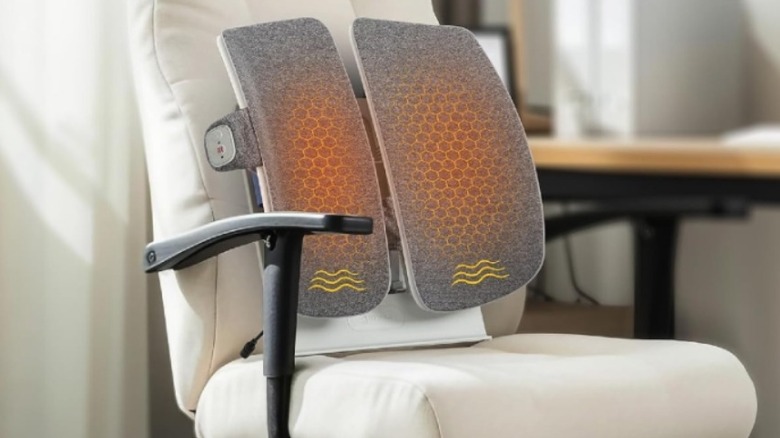
The Comfier Heated Lumbar Support Pillow isn’t just a bunch of goose feathers crammed into a sack. It’s a proper gadget that uses electric power to provide premium features for maximum comfort. It’s shaped specifically for lumbar support, which can help you sit more comfortably and maintain a better posture. It can also generate heat and vibration to give you something of a massage during long work sessions.
Even if you can only afford a so-so office chair, this pillow will go a long way to making you feel comfortable beyond the chair’s capabilities. This pillow retails for $70 and, if the reviews are correct, it does absolute wonders for your lower back. If the shape just isn’t right for you, Comfier has a number of other pillows with varying shapes and sizes to suit different needs, and most of them are under $100 and can take your office chair to the next level of comfort.
Razer Le
For many people, a good pair of headphones is enough to satisfy anyone’s audio needs. Others don’t like wearing those heavy cups, though, and prefer the breadth and depth of sound that comes with proper surround sound speakers. But it’s a bit impractical for a home office to have a full-on 5.1 surround sound setup, so a soundbar is much more reasonable, especially if you’re on a budget.
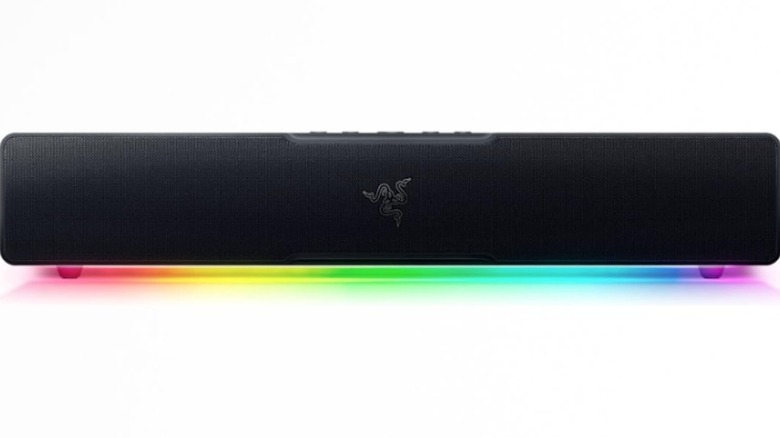
The Razer Lefor $99. This soundbar is designed for PC use and is understood to be a decent starter soundbar for beginners. The biggest concession to keep the price down is the lack of a separate subwoofer, which means it doesn’t have great low-end performance. If you have downstairs neighbors, though, at least they’ll be grateful for the lack of pulse-pounding bass
It uses both a USB connection to your PC and Bluetooth for wireless compatibility with mobile devices. It’s small and fits comfortably directly in front of or underneath your monitor, so it won’t leave a massive footprint on your desk while giving your office work or gaming an audio upgrade. Sure, it’s not exactly a home theater experience, but for just $100, this is a perfectly serviceable audio solution if you’re not looking to break the bank.
Blue Yeti Nano USB Microphone
In the world of USB microphones, one name rises above the rest: Blue. Owned by Logitech, the Blue Yeti family of microphones are so ubiquitous, it might as well be the only name in the entire field. Back in the old days, the starter microphone for beginners was the Blue Snowball, though recent years have seen the Yeti Orb emerge as a newer entry-level option, which retails for $69.99, but that’s not the microphone we’re discussing today.
No, we’re here for the Blue Yeti Nano, which retails for $99, allowing it to appear on this list. It’s basically a slightly pared-down and shrunken down version of Blue’s most popular mics, but thanks to the ability to customize audio settingshe settings to make your voice sound as pristine as one can reasonably expect from a USB condenser microphone
If you find your YouTube or streaming career taking off, you might want to upgrade to the Yeti GX or Yeti Studio, but if you only ever plan on doing Zoom meetings or casual streaming, the Yeti Nano is more than capable of delivering good audio quality at a budget price.
Honeywell TurboForce HT-84 Desk Fan
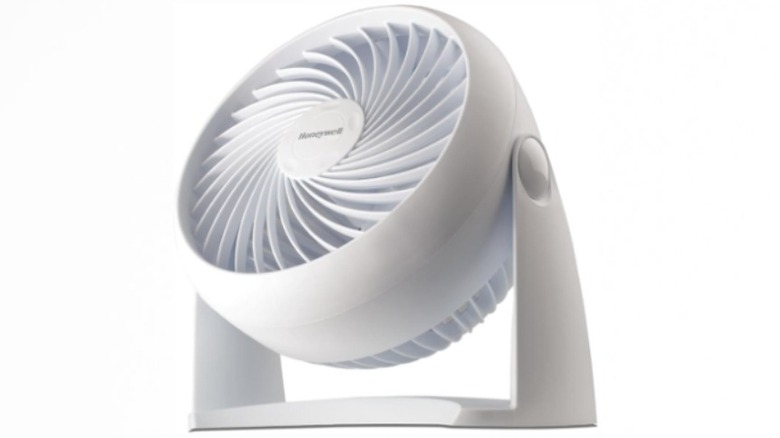
One of the good things about working in an office is the air conditioning. Sure, you might complain that the office is more like an icebox. But when you’re stuck in your home office in mid-July, you’re going to miss that precious A/C. If you have central air in your house or apartment, good for you. But if you don’t, or if you live in a part of town where you can’t have the A/C and computer on at the same time without blowing a fuse, you’re going to need a solution to keep cool.
That solution, for you, could be the Honeywell TurboForce Air Circulator. “Air Circulator” is just a fancy word for “fan.” It’s small, but you can also mount it directly onto the wall, which makes its desktop footprint effectively zero. And, at just $25, it won’t bust your wallet, either.
It’s pretty quiet for such a powerful fan, but you might want to tune it to the lowest setting if you’re streaming or on a Zoom call. It’s not the most high-tech gadget in the world, but when you’re sitting in front of a computer, especially if it involves a powerful desktop that generates a certain amount of heat, you’re going to want a decent fan to circulate the air around your room and keep you cooler without giving you a crazy electric bill.
Methodology
I have personal experience with several of the products on this list, and all of the products have been vettedavailable for purchase on Amazon for under $100
