Close Menu
AIToday7

    Subscribe to Updates

    Get the latest creative news from FooBar about art, design and business.

    What's Hot

    How To Turn Off Gemini In Gmail In Your Google Account

    August 31, 2026

    Gemini Spark is almost a dream AI assistant — except for 1 thing Perplexity does better

    August 31, 2026

    Qi2 Campaign Challenges Consumers to Refuse the Same Old Crap

    August 31, 2026
    Facebook X (Twitter) Instagram
    Trending
    • How To Turn Off Gemini In Gmail In Your Google Account
    • Gemini Spark is almost a dream AI assistant — except for 1 thing Perplexity does better
    • Qi2 Campaign Challenges Consumers to Refuse the Same Old Crap
    • New Alabama Space Accelerator aims to move startups from lab to launchpad
    • The Best Gadgets of August 2026
    • Markets Brief: Value ETFs Making a Big Tech Bet, Nvidia’s Dealmaking, and the Cybersecurity Stock Outlook
    • Should We Be Polite to ChatGPT and AI in General?
    • AI could could cause global economic downturn, Andrew Bailey warns G20
    Facebook X (Twitter) Instagram Pinterest Vimeo
    AIToday7
    • Home
    • AI News
    • Tech News
    • AI Guides
    • Chatbots
    • Cybersecurity
    • Gadgets
    • More
      • Generative AI
      • Startups
    AIToday7
    Home»Generative AI»How To Turn Off Gemini In Gmail In Your Google Account
    Generative AI

    How To Turn Off Gemini In Gmail In Your Google Account

    aitoday7By aitoday7August 31, 2026No Comments3 Mins Read
    Share Facebook Twitter Pinterest LinkedIn Tumblr Reddit Telegram Email
    How To Turn Off Gemini In Gmail In Your Google Account
    Share
    Facebook Twitter LinkedIn Pinterest Email

    Google Gemini has seeped its way into nearly all Google services, including Gmail. Some find the tools useful, others rarely use them, and some would prefer to disable them whenever possible. If you’re in that last group, you’ll be pleased to know there is a way to turn off Gemini across your Google account — it applies to Gmail, Google Drive, and Google Docs. Do note, you will also have to turn Gemini off separately in Google Photos and in Google Chrome, as well. Now’s a good time to mention you can also stop Google Gemini from training on your personal chats and web data.

    It’s best to use the web interface for this, so you’ll want to use a browser on your laptop or desktop, or a mobile browser on your phone. Sign into Gmail and make sure you’re using a web access point, not an app. Navigate to Settings (the gear icon in the top right), then choose See All Settings. In the “General” tab, scroll down to the section labeled “Google Workspace smart features.” Select the only option there labeled Manage Workspace smart feature settings. A pop-up will appear showing options for Gemini assistance. The first toggle controls Gemini in Google Workspace apps like Gmail, Google Docs, and so on. Disable that one to remove Gemini from Gmail. The other toggle controls Gemini assistance in other Google products like Maps, Google Wallet, and Google Assistant. Disable that toggle if you want full deactivation almost everywhere else.

    The Gemini icons, prompts, and tooltips may still appear across Google Workspace products with the toggle disabled. You can effectively ignore them. Trying to interact with them will prompt you to turn the smart features back on; however, Gemini won’t be doing anything in the background.

    You may also want to turn off Gemini elsewhere
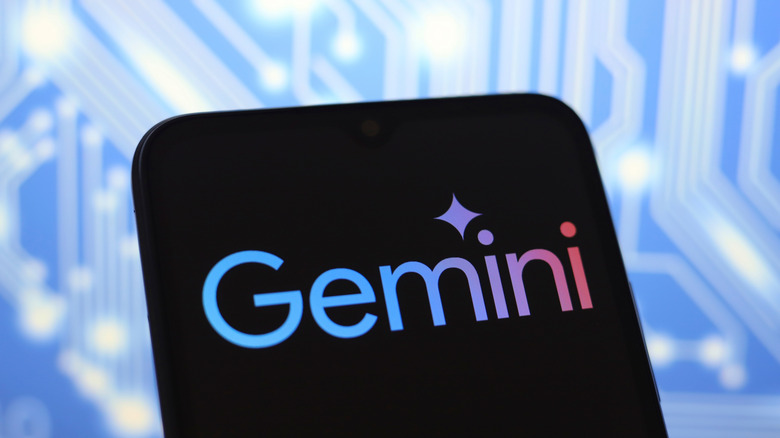
    Google Gemini logo on a phone screen with a blue circuit-board background.

    Gemini isn’t just integrated with Google’s Workspace applications. It will eventually take over much of your Android Phone, your Chrome browser, and even cloud services like Google Photos. A recent Google Photos feature will actually train AI on your personal photos, if you don’t disable it. You can easily turn off Gemini in Photos by opening the app, tapping your profile icon in the top right, and going to Photos Settings > Preferences > Gemini features and disabling Use Gemini in Photos. Granted, that also turns off the AI-powered search in Photos, but for some, it might be worth the trade-off.

    Disabling Gemini in Chrome is your next stop. With Chrome open, select the three dots and go to Settings > AI innovations > Gemini in Chrome. Disable all options. After, back up one menu to AI innovations and disable two options: History search and Help me write. Under Settings > System toggle off the On device AI feature. That should stop the 4 GB AI model that might have silently installed on your device.

    Finally, if you don’t want to use Gemini on your phone as the default assistant, you can switch back to the standard Google Assistant — at least for now. Find or open the Gemini app on your device, tap the menu button in the top left (two vertical lines), then select your profile picture at the bottom. Scroll through the settings until you see Switch to Google Assistant. Tap that and choose Google Assistant. You’ll also want to change your default assistant app if you have Gemini set as a shortcut for anything. You can uninstall the Gemini app afterward, but Google says that won’t disable everything if it’s still your default assistant.

    Post Views: 4

    Gemini Gmail Google Turn your
    Share. Facebook Twitter Pinterest LinkedIn Tumblr Email
    Previous ArticleGemini Spark is almost a dream AI assistant — except for 1 thing Perplexity does better
    aitoday7
    • Website

    Related Posts

    Chatbots

    Gemini Spark is almost a dream AI assistant — except for 1 thing Perplexity does better

    August 31, 2026
    Generative AI

    LLM Moats Quickly Evaporating

    August 31, 2026
    Generative AI

    Google could soon let you assign tasks to Spark from a regular Gemini chat

    August 5, 2026
    Add A Comment
    Leave A Reply Cancel Reply

    Top Posts

    How To Turn Off Gemini In Gmail In Your Google Account

    August 31, 20260 Views

    Gemini Spark is almost a dream AI assistant — except for 1 thing Perplexity does better

    August 31, 20260 Views

    Qi2 Campaign Challenges Consumers to Refuse the Same Old Crap

    August 31, 20260 Views
    Stay In Touch
    • Facebook
    • YouTube
    • TikTok
    • WhatsApp
    • Twitter
    • Instagram
    Latest Reviews
    Chatbots

    OpenAI CEO goes viral for more strange ChatGPT parenting advice

    aitoday7August 4, 2026
    AI News

    The latest AI news we announced in July 2026

    aitoday7August 5, 2026
    Tech News

    What is Trump Media’s Truth API and why is it controversial?

    aitoday7August 5, 2026

    Subscribe to Updates

    Get the latest tech news from FooBar about tech, design and biz.

    Most Popular

    How To Turn Off Gemini In Gmail In Your Google Account

    August 31, 20260 Views

    Gemini Spark is almost a dream AI assistant — except for 1 thing Perplexity does better

    August 31, 20260 Views

    Qi2 Campaign Challenges Consumers to Refuse the Same Old Crap

    August 31, 20260 Views
    Our Picks

    OpenAI CEO goes viral for more strange ChatGPT parenting advice

    August 4, 2026

    The latest AI news we announced in July 2026

    August 5, 2026

    What is Trump Media’s Truth API and why is it controversial?

    August 5, 2026

    Subscribe to Updates

    Get the latest creative news from FooBar about art, design and business.

    Facebook X (Twitter) Instagram Pinterest
    • About Us
    • Get In Touch
    • Disclaimer
    • Privacy Policy
    • Terms and Conditions
    © 2026 AIToday7. All Rights Reserved.

    Type above and press Enter to search. Press Esc to cancel.