
HOME>BLOG>AI and Machine Learning>How to Build AI Applications Using LangChain: A Complete Guide
AI and Machine Learning
How to Build AI Applications Using LangChain: A Complete Guide
- What Is LangChain?
- LangChain vs LangGraph vs LangSmith: The Ecosystem Explained
- Core Concepts You Must Understand
- LangChain Tutorial: Build Your First AI Agent (Step by Step)
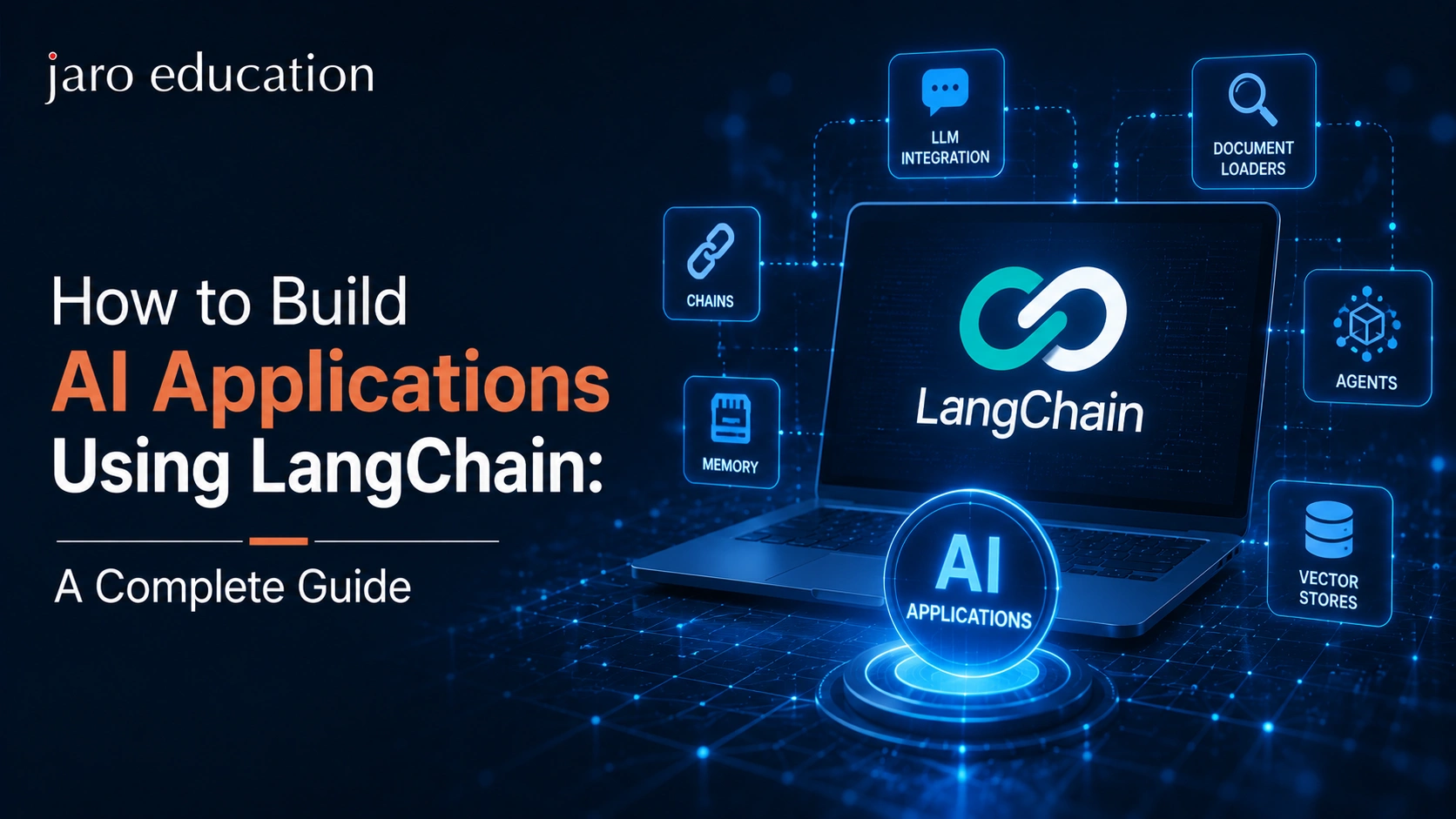
LangChain is an open- models(LLMs). It provides ready-made components — model wrappers, tools, memory, agents, and retrieval — so developers can connect LLMs like GPT, Claude, and Gemini to their own data and workflows in far less code. With LangChain 1.0 released and over 90 million monthly downloads, it is the most widely used framework for building AI agents in 2026
If you can writebasic Python, you can build a working AI application with LangChain in under an hour. This guide covers everything you need: what LangChain actually is (and what LangGraph and LangSmith are), the core concepts, a hands-on tutorial to build your first AI agent, how retrieval-augmented generation (RAG) works, how LangChain compares to alternatives, and the best practices teams follow in production. A word of caution before we begin: most LangChain tutorials online still teach the deprecated 2023-era API. Everything below reflects the current 1.0 architecture.
What Is LangChain?
LangChain is a framework that sits between your application code and an LLM provider. Think of an LLM as a brilliant but isolated brain — it can reason and write, but out of the box it cannot search the web, query your database, read your PDFs, or remember previous conversations. LangChain supplies the plumbing that connects that brain to the outside world.
Concretely, LangChain gives you:
- Model abstraction.Swap betweenOpenAI, Anthropic, Google, Mistral, or local models (via Ollama) by changing one line — your application logic stays identical.
- Tools.Pre-built and custom functions the LLM can call: web search, calculators, database queries, APIs, code execution.
- Agents.The reasoning loop that lets an LLM decidewhichtool to use, use it, observe the result, and continue until the task is done.
- Retrieval (RAG).Components for loading documents, splitting them into chunks, embedding them into vector databases, and retrieving relevant context at question time.
- Memory and state.Ways to persist conversation history and application state across turns and sessions.
LangChain was created by Harrison Chase in late 2022 and grew explosively alongside ChatGPT. In 2026 it powers production systems at companies including Uber, J.P. Morgan, Klarna, and LinkedIn.
LangChain vs LangGraph vs LangSmith: The Ecosystem Explained
One of the most confusing things for beginners is that “LangChain” now refers to a whole ecosystem. Here’s the clean mental model:
| Component | What it is | When you use it |
|---|---|---|
| LangChain | High-level agent framework: models, tools, prompts, the standard agent loop | Start here — fastest way to build an agent |
| LangGraph | Low-level orchestration runtime: stateful graphs, checkpoints, human-in-the-loop, durable execution | When you need custom, long-running, production-grade agent workflows |
| LangSmith | Observability and evaluation platform: tracing, debugging, testing agent runs | When you deploy anything to real users |
Importantly, LangChain’s agents are builton top ofLangGraph, so you’re never locked in: begin with LangChain’s high-level API and drop down to LangGraph when you need fine-grained control such as approval gates, parallel branches, or workflows that survive server restarts. Both LangChain 1.0 and LangGraph 1.0 shipped as stable major releases, with a commitment of no breaking changes until 2.0 — which finally solved the framework’s old reputation for constantly changing APIs.
Core Concepts You Must Understand
1. Chat models.The LLM interface. In modern LangChain you initialise any provider’s model through a unified interface and interact with it
2. Prompts.Templates that structure what you send to the model, with variables filled in at runtime — the difference between a fragile demo and a reliable app usually lives in the prompt.
3. Tools.Plain Python functions decorated so the model can discover and call them. A tool has a name, a description (which the LLM reads to decide when to use it), and typed inputs.
4. Agents.The loop: the model receives a task,reasonsabout what to do,actsby calling a tool,observesthe result, and repeats until it can answer. This ReAct pattern (Reason + Act) is the foundation of nearly all LangChain agents.
5. Retrievers and vector stores.For RAG: documents are split into chunks, converted into numerical embeddings, and stored in a vector database (Chroma, Pinecone, FAISS, pgvector). At question time, the most semantically similar chunks are retrieved and stuffed into the prompt as context.
6. Middleware.New in LangChain 1.0 — hooks that run before and after model calls and tool calls, used for guardrails, logging, PII redaction, and dynamic prompt injection.
LangChain Tutorial: Build Your First AI Agent (Step by Step)
Let’s build a genuinely useful agent: a research assistant that can search the web and do maths. Total cost: a few cents in API calls.
Step 1: Set Up Your Environment
You need Python 3.10+ installed. Create a project folder and a virtual environment, then install the packages:
pip install langchain langchain-anthropic tavily-python
(Substitutelangchain-openaiif you prefer GPT models.) Get an API key from your LLM provider and, for web search, a free key from Tavily. Store them as environment variables — never hard-code keys:
export ANTHROPIC_API_KEY=”your-key-here”
export TAVILY_API_KEY=”your-key-here”
Step 2: Initialise a Chat Model
fromlangchain.chat_modelsimportinit_chat_model
model=init_chat_model(“claude-sonnet-4-5”, model_provider=“anthropic”)
response=model.invoke(“Explain vector embeddings in one sentence.”)
print(response.content)
If this prints a sensible sentence, your setup works. Theinit_chat_modelhelper is provider-agnostic — changing to“gpt-4o”withmodel_provider=”openai”is the only edit needed to switch models.
fromlangchain_core.toolsimporttool
fromtavilyimportTavilyClient
@tool
defweb_search(query:str)->str:
“””Search the web for current information on a topic.”””
results=tavily.search(query=query, max_results=3)
returnstr(results[“results”])
@tool
defcalculator(expression:str)->str:
“””Evaluate a mathematical expression, e.g. ’23 * 47′.”””
returnstr(eval(expression)) # use a safe parser in production
The docstrings matter enormously: the LLM reads them to decide when each tool applies. Vague descriptions are the number-one reason agents fail to use tools correctly.
fromlangchain.agentsimportcreate_agent
agent=create_agent( model=model, tools=[web_search, calculator], system_prompt=( “You are a precise research assistant. Use web_search for facts “ “you are not certain about and calculator for any arithmetic. “ “Cite the,)
result=agent.invoke(
{“messages”: [{“role”:“user”,
“content”:“What is India’s current GDP, and what would 7% growth add to it?”}]}
)
print(result[“messages”][–1].content)
Run it and watch the loop: the agent searches for the GDP figure, passes numbers to the calculator, and composes a cited answer. You have just built a functioning AI agent in roughly 40 lines of code.
fromlanggraph.checkpoint.memoryimportInMemorySaver
agent=create_agent(model=model, tools=[web_search, calculator],
checkpointer=InMemorySaver())
config={“configurable”: {“thread_id”:“user-42”}}
agent.invoke({“messages”: […]}, config) # remembers within thread user-42
SwapInMemorySaverfor a SQLite or PostgreSQL checkpointer and the memory survives restarts — the same mechanism that powers pause/resume and human-approval workflows in LangGraph.
Step 6: Trace and Debug with LangSmith
Set two environment variables (LANGSMITH_TRACING=trueand yourLANGSMITH_API_KEY) and every run is automatically traced: you can inspect each reasoning step, tool call, token count, and latency in a dashboard. When your agent behaves strangely — and it will — this is how you find out why in seconds instead of hours.
Building a RAG Application: Chat With Your Own Documents
The second killer use case is retrieval-augmented generation — letting an LLM answer questions fromyourdocuments (policies, product manuals, research papers) instead of its training data. The pipeline has four stages:
- Load.Document loaders ingest PDFs, web pages, Word files, Notion pages, and dozens of other formats.
- Split.A text splitter breaks documents into overlapping chunks (commonly ~1,000 characters with ~200 overlap) so each chunk stays semantically coherent.
- Embed and store.An embedding model converts every chunk to a vector; the vectors go into a vector store such as Chroma (great for local development) or Pinecone (managed, for scale).
- Retrieve and generate.At question time, the user’s query is embedded, the top-matching chunks are retrieved, and the LLM answersusing only that context— which slashes hallucinations and lets you cite sources.
In LangChain this entire pipeline is a few dozen lines, and you can hand the retriever to your agent as just another tool — so one assistant can search the webandyour internal knowledge base, choosing the right behind most enterprise AI assistants shipped in 2026

Mastering Product Management: Roadmap,Vision, and Strategy
- Duration : 2 – 3 Hours
- Application Closure Date :
AI for Business Leaders
- Duration : 2 Hours
- Application Closure Date :
Enquiry Now
View More Free Courses
LangChain Agents in Production: Five Best Practices
1. Set a recursion limit.Poorly defined logic can make an agent loop forever, burning API credits. Always cap the number of steps.
2. Keep tools atomic and well-described.One clear job per tool; write descriptions as routing rules (“Use this when…”).
3. Add human-in-the-loop for high-stakes actions.Anything that sends money, emails, or deletes data should pause for approval — LangGraph makes this a first-class primitive.
4. Evaluate before you ship.Build a test set of expected question–answer pairs and run it in LangSmith on every change, exactly like unit tests.
5. Pin your versions.Locklangchainandlanggraphversions in requirements.txt and test upgrades in staging — standard discipline that many AI teams skip.
LangChain vs Alternatives: Which Framework Should You Choose?
| Framework | Strength | Choose it when |
|---|---|---|
| LangChain + LangGraph | Largest ecosystem, provider-agnostic, production-grade orchestration | You want the industry standard with maximum flexibility |
| CrewAI | Simple role/task abstraction for multi-agent “crews” | Quick multi-agent prototypes and demos |
| AutoGen (Microsoft) | Conversational multi-agent research patterns | Research and experimentation |
| OpenAI Agents SDK | Thin, polished wrapper over OpenAI’s own primitives | You’re committed to OpenAI models only |
| LlamaIndex | Deep, specialised RAG and data connectors | Retrieval-heavy apps over complex data |
The honest summary: for structured, debuggable, enterprise-ready agent workflows, the LangChain ecosystem remains the default choice in 2026 — its main cost is a steeper learning curve than the simpler frameworks.
Real-World Applications You Can Build With LangChain
- Customer-support agentsthat answer from your help-centre docs and escalate to humans when unsure.
- Data-analysis assistantsthat translate plain-English questions into SQL, run them, and chart the results.
- Document-processing pipelinesthat read contracts or invoices, extract structured fields, and file them into your systems.
- Research copilotsthat monitor news, summarise developments, and email a daily brief.
- Marketing automation agentsthat scrape competitor data, draft copy, and adjust campaigns — a pattern growing fast in Indian enterprises adoptingagentic AI.
7 Common LangChain Mistakes Beginners Make
Knowing whatnotto do saves weeks of frustration:
1. Following 2023-era tutorials.If a guide importsAgentExecutororinitialize_agent, it’s teaching the deprecated API. Look forcreate_agentand LangGraph patterns — anything else will fight the current library.
2. Over-engineering simple problems.If your app is “send a prompt, get an answer,” you don’t need an agent at all — a direct model call is faster, cheaper, and easier to debug. Reach for agents only when the model mustdecidebetween actions.
3. Writing vague tool descriptions.“Searches stuff” gives the model nothing to route on. Write descriptions like documentation for a new intern: what the tool does, when to use it, what the input should look like.
4. Ignoring token costs.Every reasoning step, tool result, and chunk of retrieved context is tokens you pay for. Log usage from day one; a chatty agent with fat context can cost 10x more than a tuned one for identical output quality.
5. Skipping error handling on tools.Tools call real APIs, and real APIs fail. Return clear error messages to the model (“Search failed: rate limited, try again”) so the agent can recover instead of crashing.
6. Testing only the happy path.Users will ask your agent things you never imagined. Build an evaluation set that includes adversarial, ambiguous, and out-of-scope questions before launch.
7. Stuffing everything into one giant agent.Ten tools and five responsibilities in a single agent degrades reliability. Split into focused agents — or a LangGraph supervisor pattern routing to specialists — once complexity grows.
Does LangChain Work With JavaScript?
Yes. LangChain.js mirrors thePython libraryfor TypeScript and JavaScript developers, with the equivalent LangGraph.js runtime for orchestration. The Python ecosystem remains larger — more integrations, more community examples — so Python is still the recommended starting point for learning, but full-stack teams shipping Node/Next.js products can stay entirely in TypeScript.
Conclusion: From Tutorial to Career Skill
LangChain has matured from a hackathon favourite into the backbone of enterprise AI engineering — and “can build agentic AI applications” is now one of the highest-paid skills in Indian tech, appearing in AI engineer roles that command significant premiums over standard development positions. The path is clear: build the agent in this tutorial, extend it with RAG over your own documents, then learn LangGraph’s stateful patterns.
If you want structured depth — the machine learning foundations, MLOps, and deployment skills that separate tutorial-followers from AI engineers — explore the AI and machine learning certification programmes from IITs and IIMs on Jaro Education, several of which now include hands-on agentic AI and LLM application modules.
Frequently Asked Questions
LangChain is a free, open-source Python (and JavaScript) framework that makes it easy to build apps on top of AI models — connecting LLMs like GPT and Claude to tools, your own data, and memory so they can do useful work, not just chat.
Yes. LangChain and LangGraph are open source (MIT licensed) and free. You pay only for the LLM API calls your app makes, and optionally for LangSmith’s paid tiers.
Basic Python is enough to start — if you understand functions and pip installs, you can follow this tutorial. A JavaScript/TypeScript version (LangChain.js) also exists.
LangChain provides the building blocks and a high-level agent API; LangGraph is the low-level orchestration runtime underneath, used for stateful, long-running, production workflows. LangChain agents actually run on LangGraph.
Yes — more than ever. The 1.0 releases stabilised the APIs, downloads exceed 90 million per month, and companies like Uber, Klarna, and J.P. Morgan run production agents on the stack.
With Python basics, you can build your first agent in a day and be productive within two to three weeks. Mastering production patterns — LangGraph state machines, evaluation, guardrails — typically takes two to three months of project work.

Dr. Sanjay Kulkarni
Data & AI Transformation Leader
Dr. Sanjay Kulkarni is a Data & AI Transformation Leader with over 25 years of industry experience. He helps organizations adopt data-driven and responsible AI practices through strategic guidance and education. With experience across startups and global enterprises, he bridges the gap between theory and real-world application. His work empowers teams to innovate and thrive in AI-driven environments.
Related Courses

Advanced Certification Programme in Generative AI & Large Language Models
- Duration : 6 Months
- Application Closure Date :

Certificate Course in Applications of AI for Business Managers (Batch 01)
- Duration : 6 Months
- Application Closure Date :

Professional Certificate Programme in Gen AI, Agentic Systems & Intelligent Decision-Making
- Duration : 1 Year
- Application Closure Date :

Online Master of Science (Data Science)
Symbiosis International (Deemed) University
- Duration : 2 Years
- Application Closure Date :
Find a Program made just for YOU
We’ll help you find the right fit for your solution. Let’s get you connected with the perfect solution.
Is Your Upskilling Effort worth it?

Are Your Skills Meeting Job Demands?

Experience Lifelong Learning and Connect with Like-minded Professionals