
How to Use ChatGPT for Free? An 8-Step Guide
Mykhailo Yatsenko
Choose us on Google
• Step 1. Install the desktop ChatGPT
• Step 3. Create a gateway API key
• Step 4. Connect the first provider
• Step 5. Switch Codex to the gateway
• Step 7. Additional features
• Step 8. Combo: managed fallback, DIY
Article brief
Share
💸 Think using ChatGPT is expensive? In reality, all it takes is 8 simple steps, and it can become completely free for you. We’ll show you how to get access, avoid common mistakes, and unlock AI capabilities in just a few minutes. 👇
OmniRoute — a tool that makes ChatGPT and Claude Code free and unlimited: it connects a coding agent to 200+ free AI providers, automatically switches models when the limit runs out, and compresses prompts, saving up to 90% of tokens.
The Incrypted editorial team tested the service in practice. The test subject was the Codex agent from the ChatGPT desktop app. The result was a working coding agent that doesn’t care about OpenAI limits.
- OmniRoute — a local open-source AI gateway (licensed under MIT): a single entry point for coding agents that routes requests across model providers.
- The promise of “200+ free providers” is more modest in practice: the 3.8.48 catalog lists 256 providers, but only a handful work without registration and keys, while the rest are paid APIs, OAuth connections, and free tiers with limits.
- Auto-switching when a provider fails (fallback) works, but you need to configure it manually via “combos” — otherwise, the smart router may send your code to anonymous providers.
What Is OmniRoute
OmniRoute is a proxy server that runs on the user’s computer and becomes a single AI provider. A coding agent (Claude Code, Codex, Cursor — more than 30 tools are supported) sends requests to a local address, and the gateway decides which model to pass them to: a paid API, a free tier, a subscriptionimit, the request automatically moves to the next one in the chain
Inside, there are 18 routing strategies, cost and token tracking for each key, key encryption, and a whole set of context compression engines — from simple whitespace cleanup to LLMLingua semantic pruning.
What you’ll need
- Windows, macOS, or Linux, Node.js 22.22.2+ (24 LTS works too).
- The ChatGPT desktop app — it’s where the Codex coding agent lives, our test subject. You don’t need a Plus subscription; a free account is enough.
- Optional: Ollama installed with local models — for a fully free, offline setup.
Step 1. Install the desktop ChatGPT
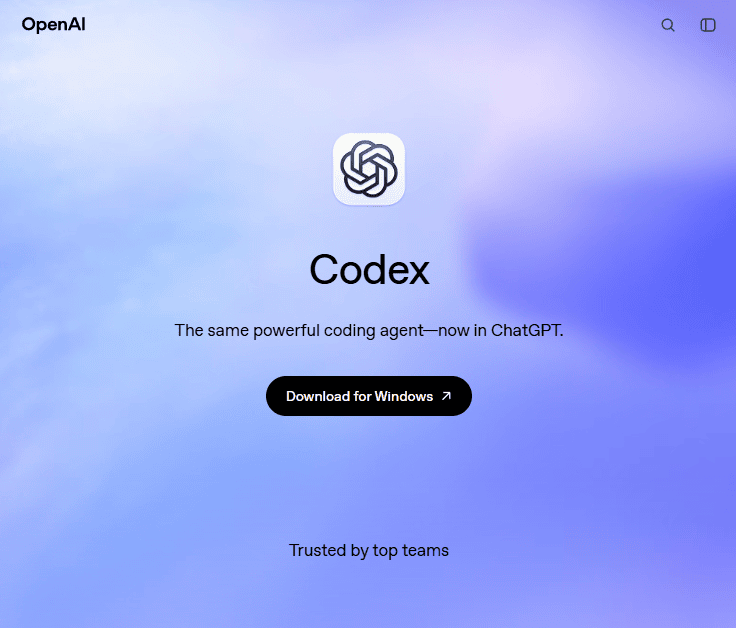
Codex is OpenAI’s coding agent: it can work with files, run commands in the terminal, and manage projects. It used to live in a separate app, but now it’s built into the desktop ChatGPT — you can download it from the Codex page or from the Microsoft Store.
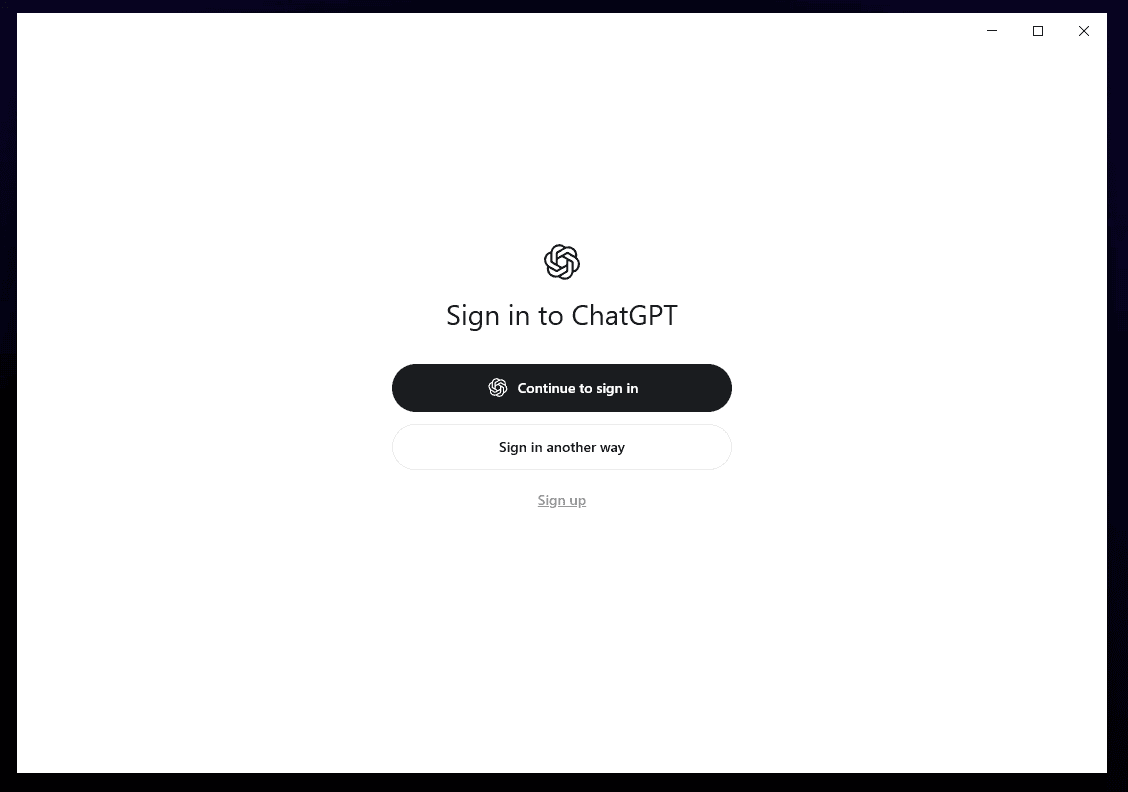
After installation, the app asks you to sign in to your OpenAI account.
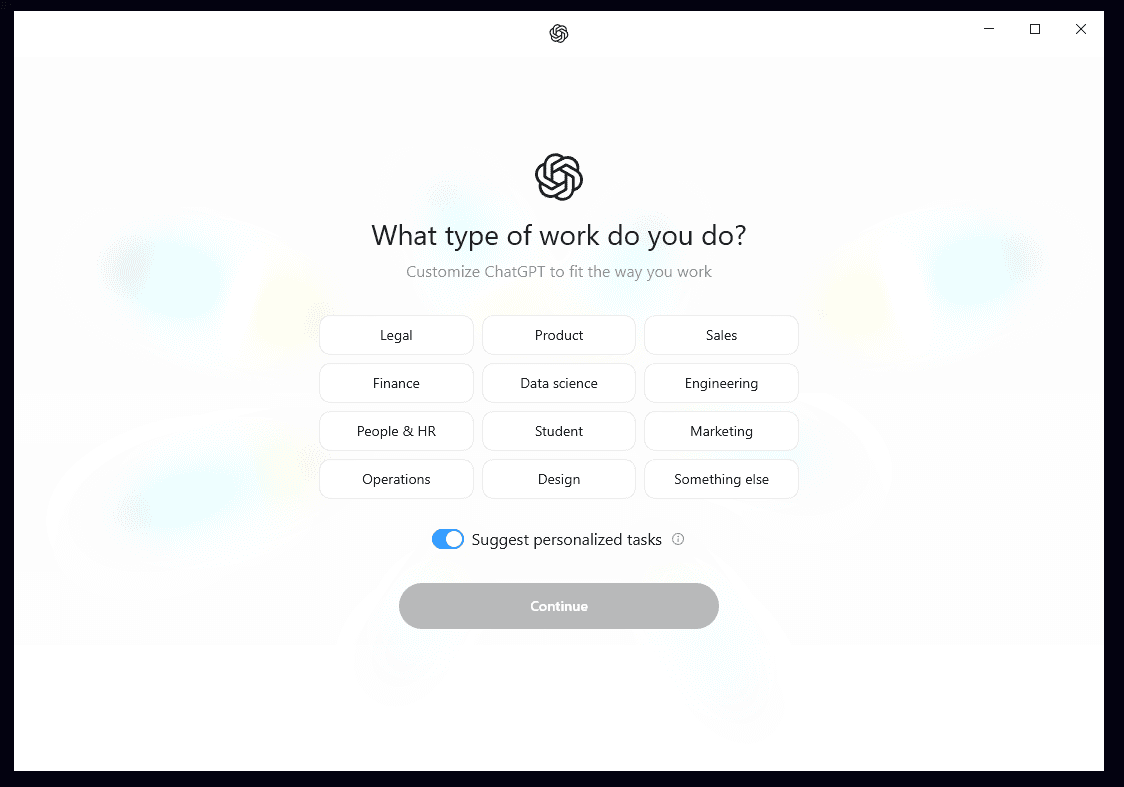
Choose your area of work.
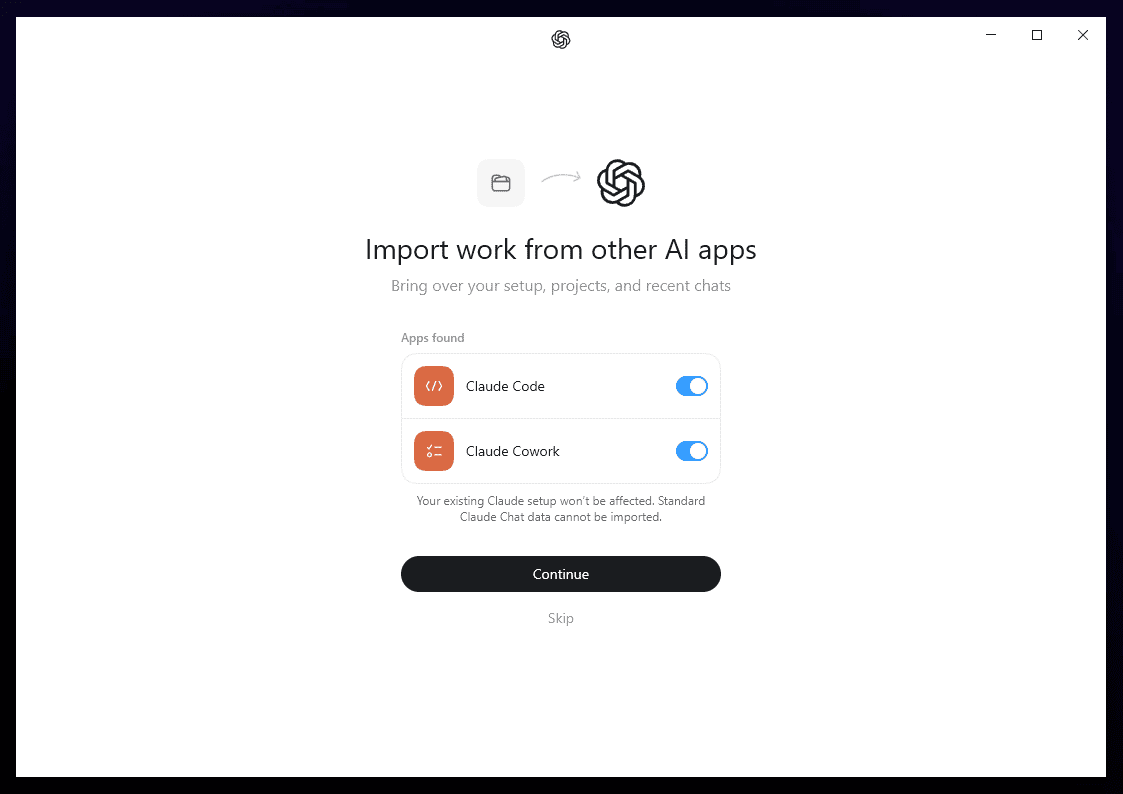
For those migrating from Anthropic products, the app offers to import projects, settings, and history from Claude Code — your existing Claude setup will remain unaffected.
Step 2. Install OmniRoute
OmniRoute is installed with a single command:
npm install -g omnirouteand started with a second one:
omnirouteWithin a few seconds, the server comes up at localhost:20128 — that’s where both the web dashboard and the API endpoint for agents live.
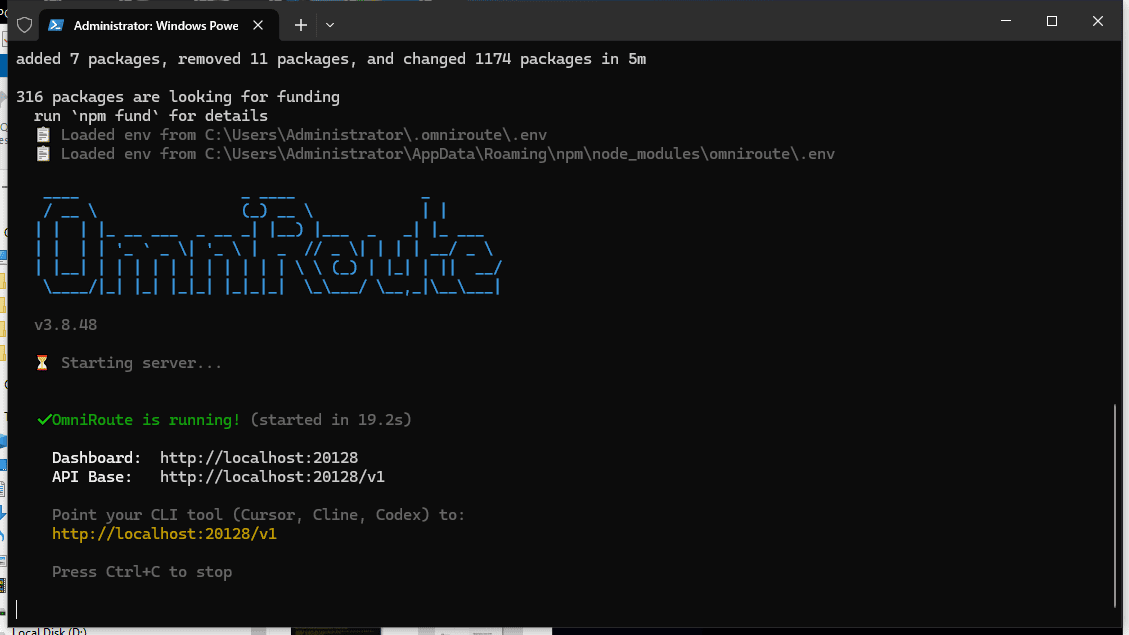
OmniRoute requires Node.js version 22.22.2 or later, so if you’re on an earlier platform version, the dashboard will greet you with a red incompatibility warning.
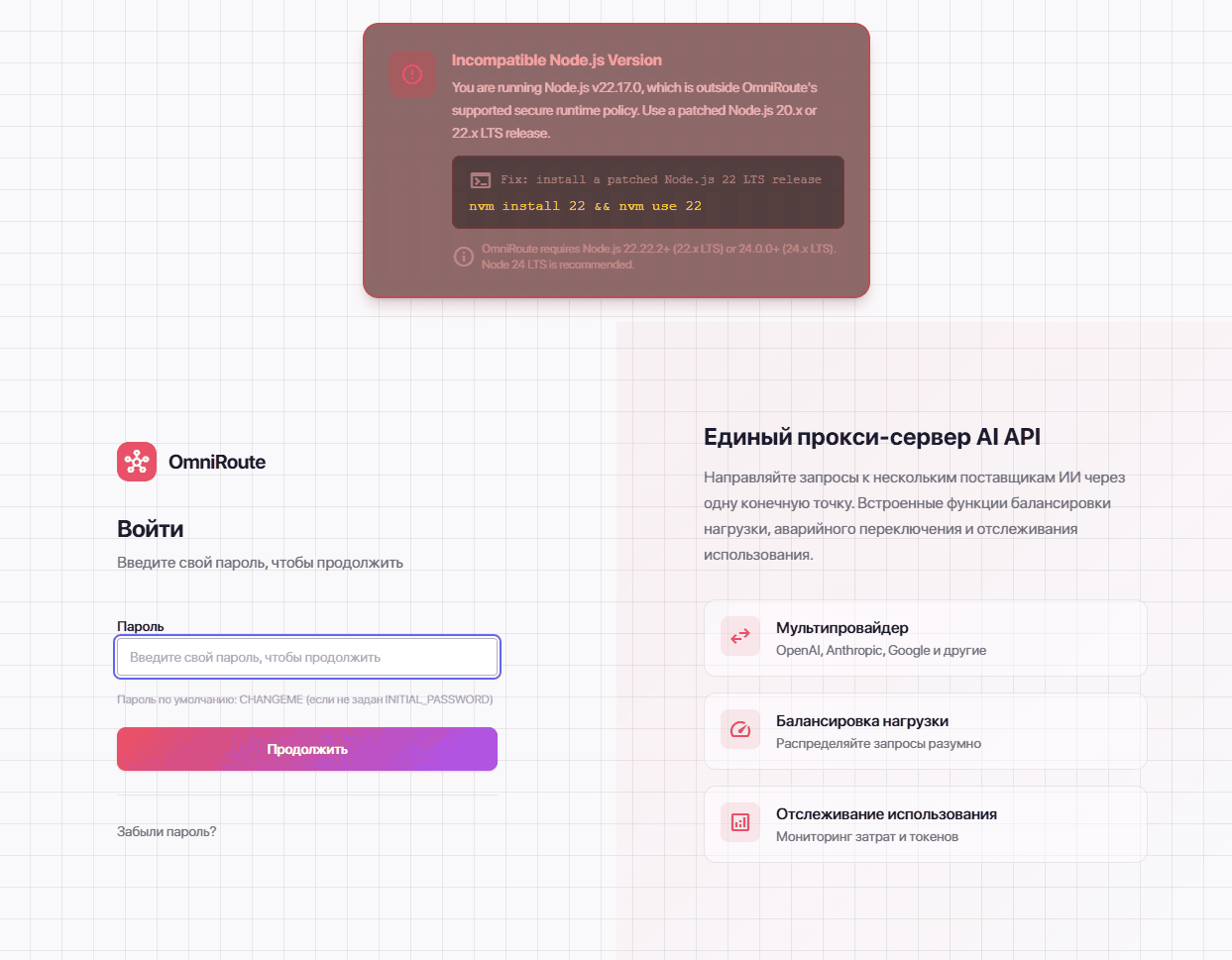
You can fix it by updating Node.js within the same branch (or moving to 24 LTS):
winget upgrade --id OpenJS.NodeJS.22If, after the update, the gateway complains about native modules, there’s a built-in fix:
omniroute runtime repairAfter a restart, the warning disappears. The default dashboard password is CHANGEME, and you should change it immediately after logging in.
Step 3. Create a gateway API key
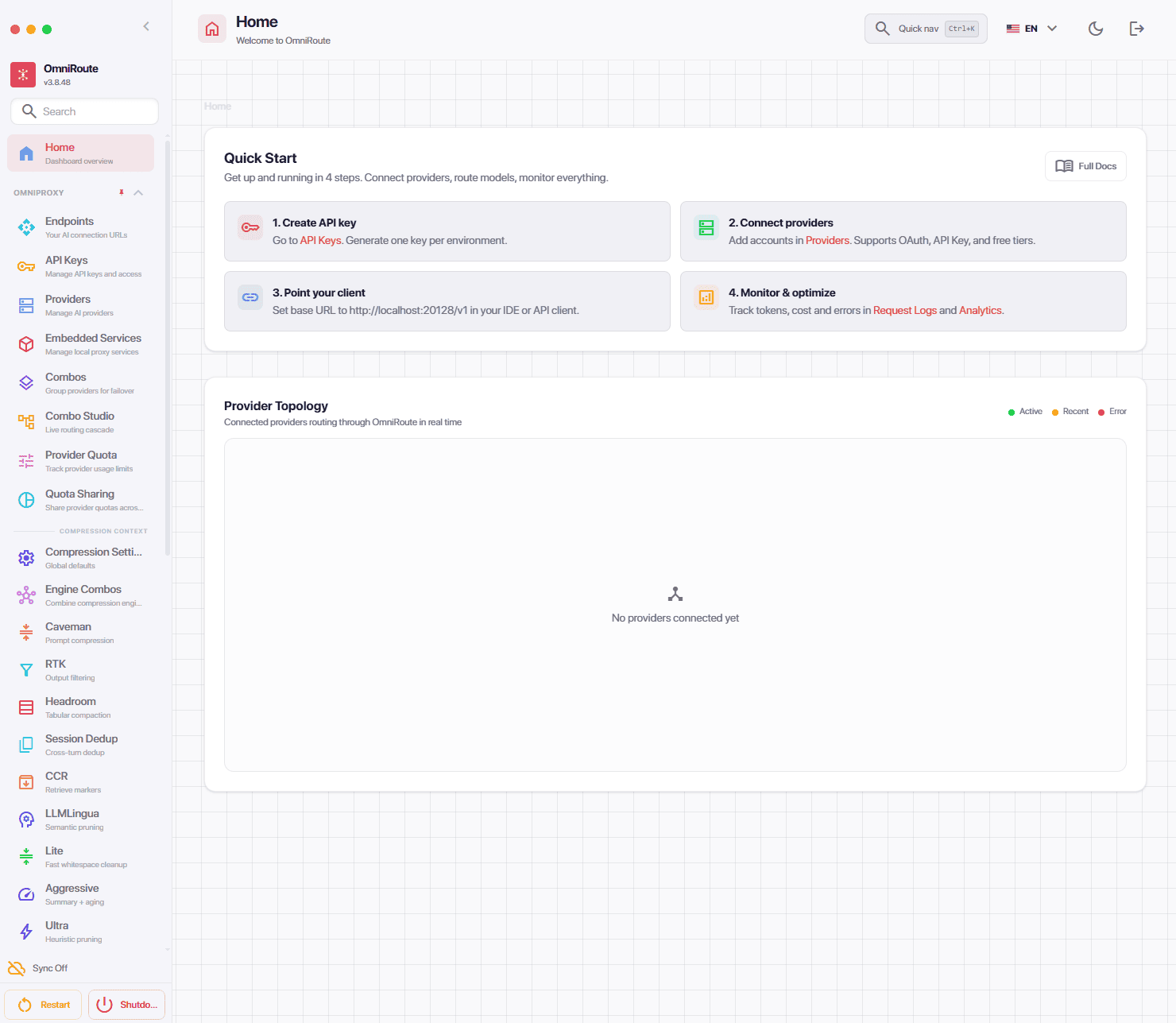
The dashboard suggests the sequence of actions:
- creating a key
- connecting providers
- specifying the client
- monitoring and optimization
Go to the API Keys section and create a key for Codex.
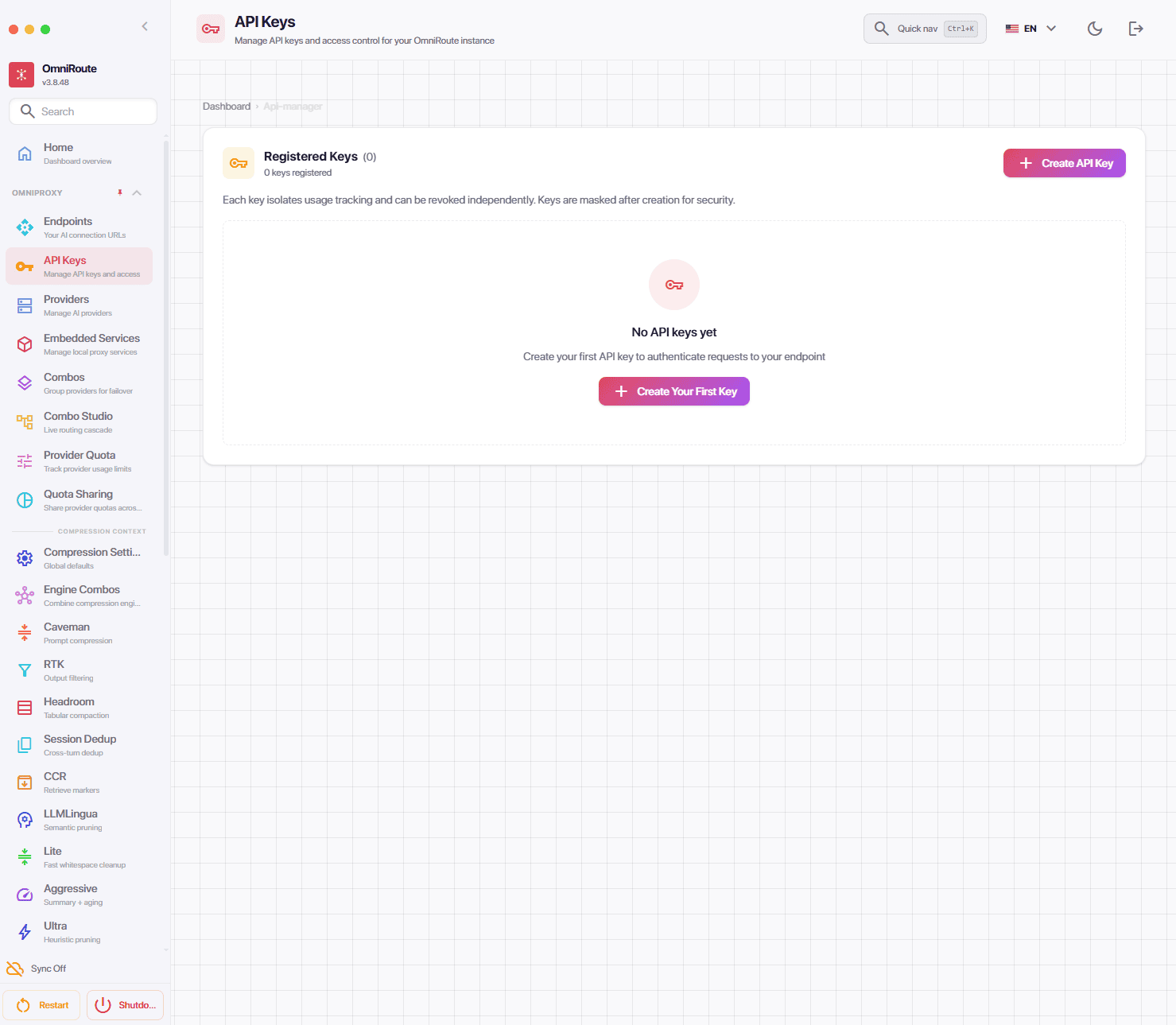
After you click the “+ Create Your First Key” button, a dialog box will appear.
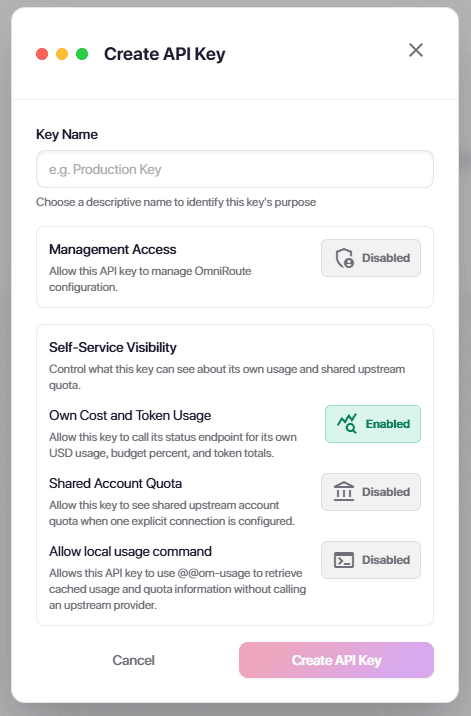
In the creation dialog, you just need to enter a clear name — for example, codex-desktop. Leave Management Access disabled: a key used for routing requests does not need permission to change gateway settings.
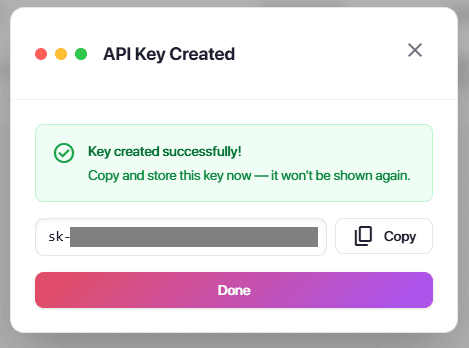
You need to copy and save the key.
Step 4. Connect the first provider
In the Providers section, you can see the catalog: 256 providers, of which 19 connectwork without keys and registrations, and most free ones come with trial credits or daily limits
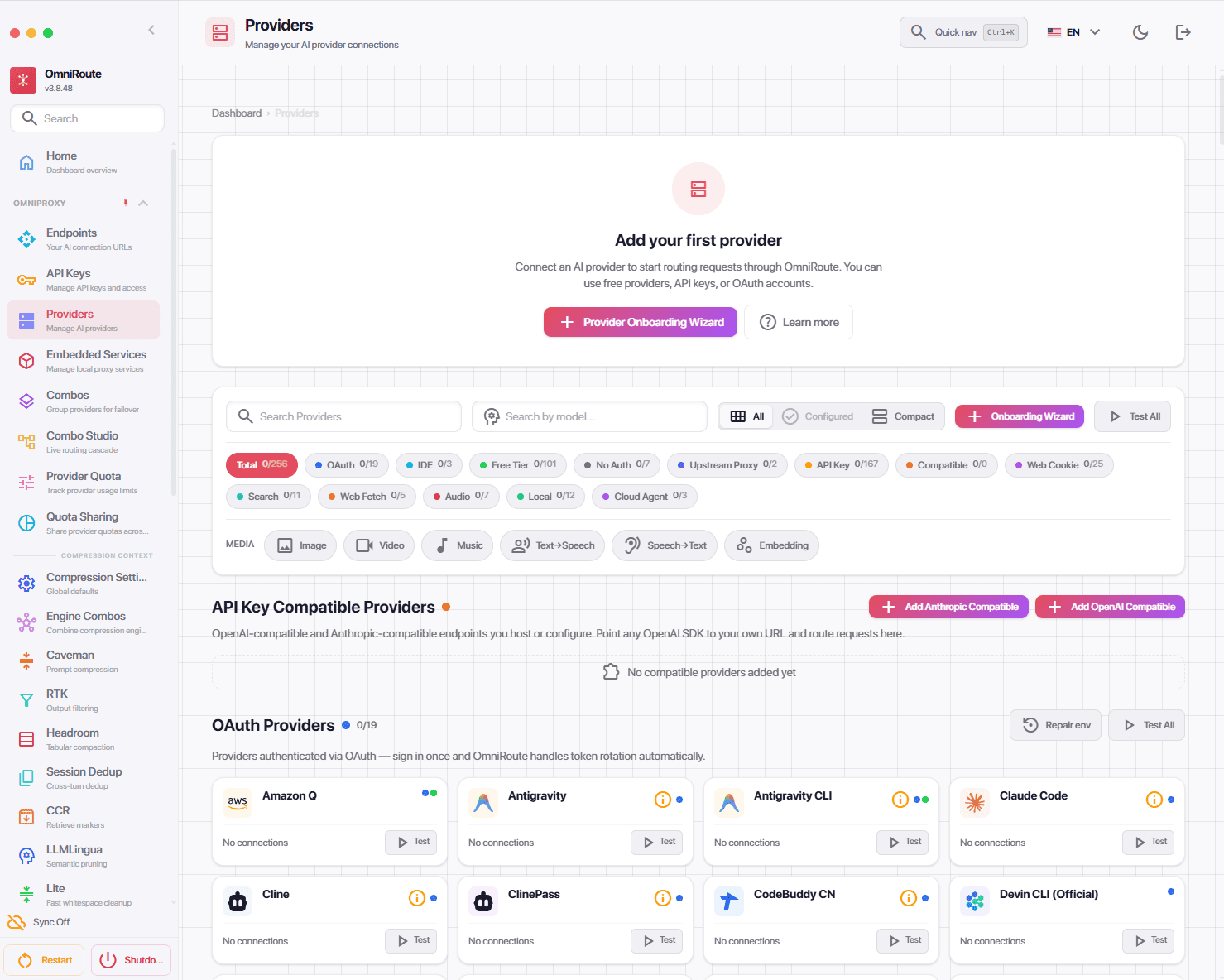
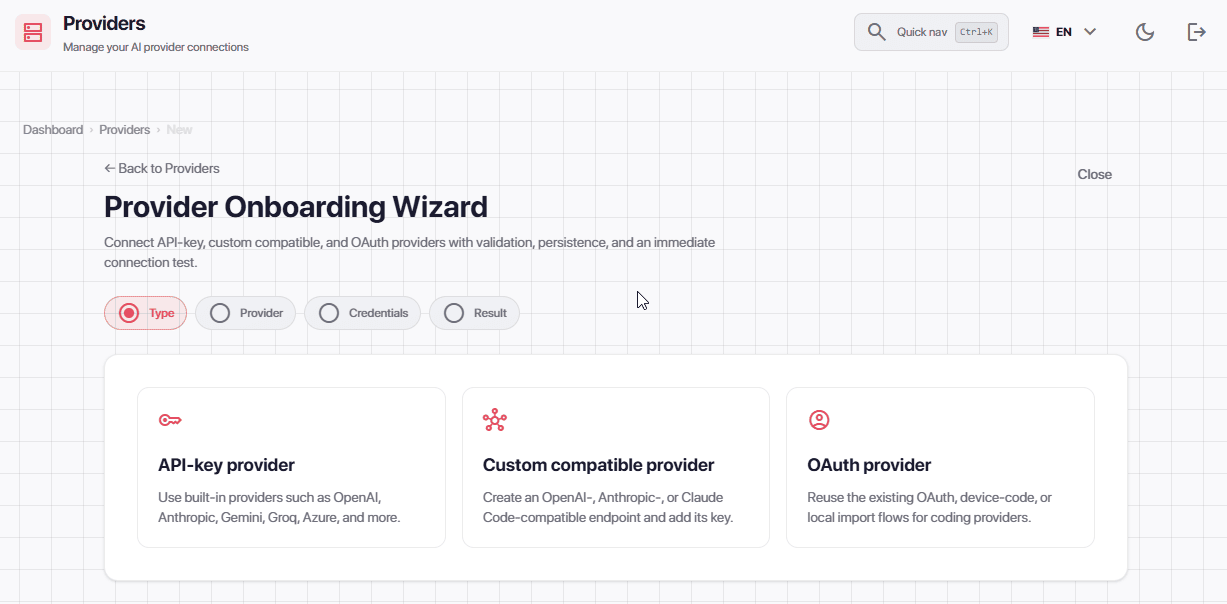
Choosing a provider is a personal decision. It all depends on your needs and how often you use the agent. The connection wizard guides you step by step: the first screen is the provider type.
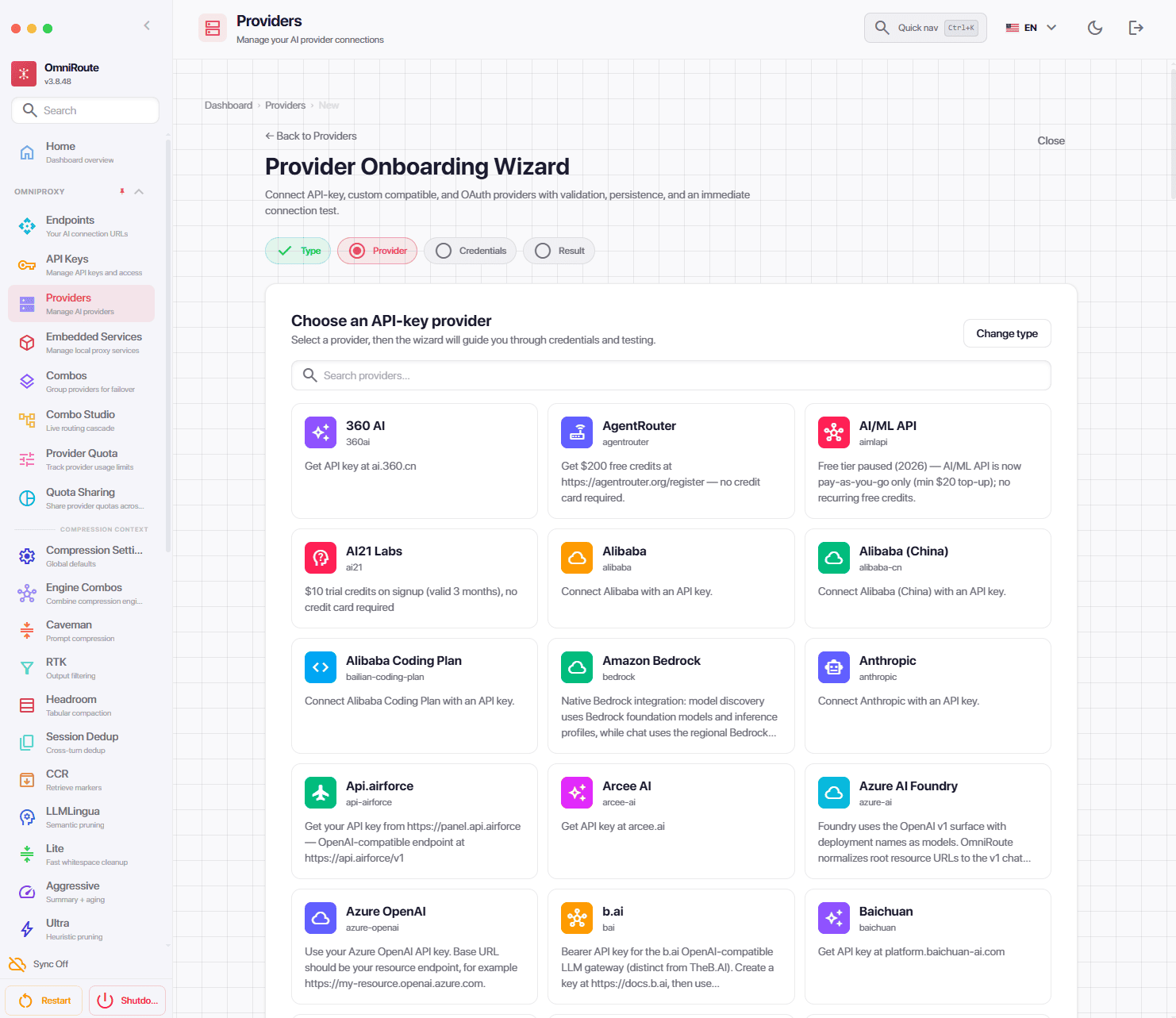
Depending on the selected provider type, the corresponding catalog of options is available.
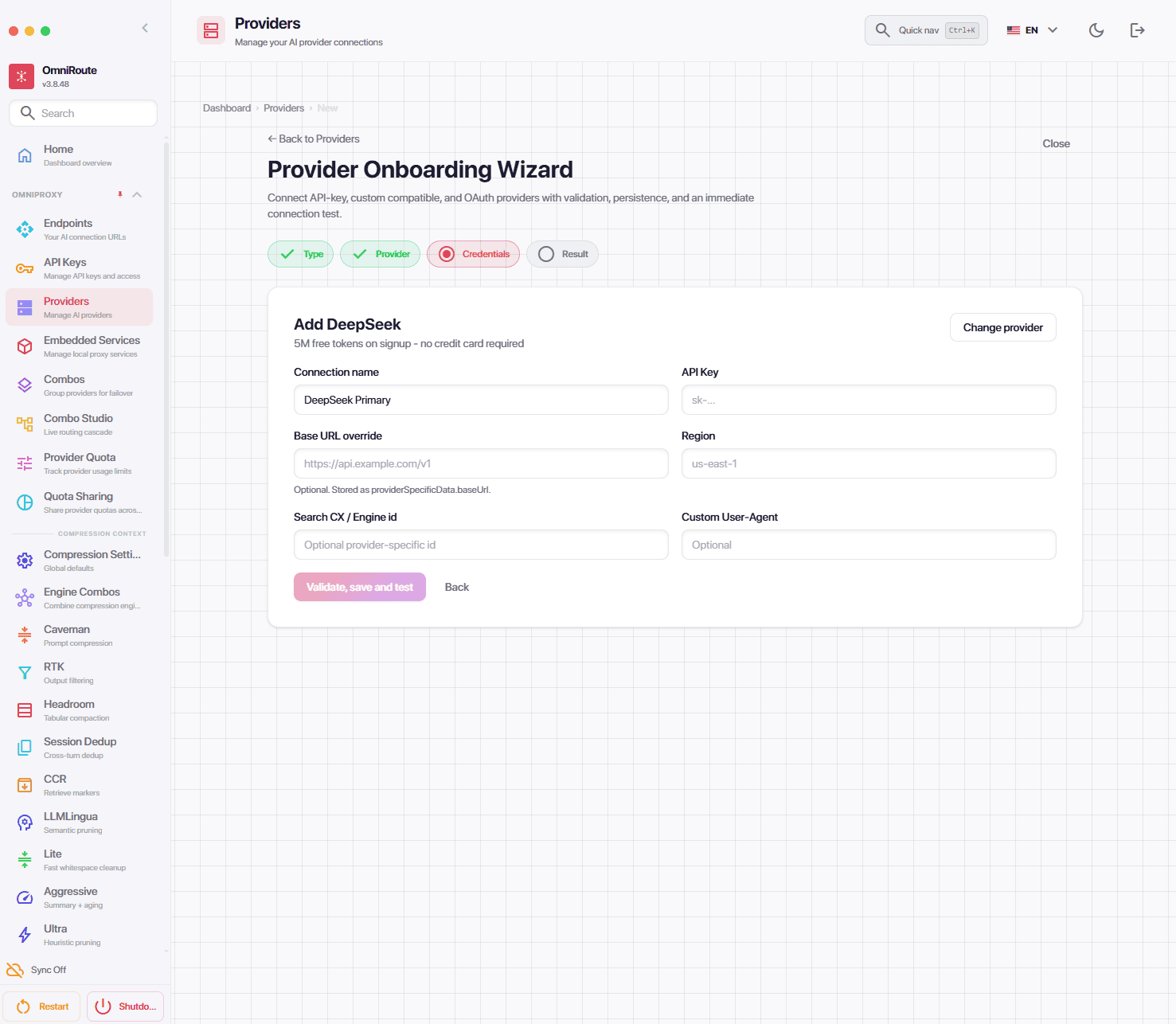
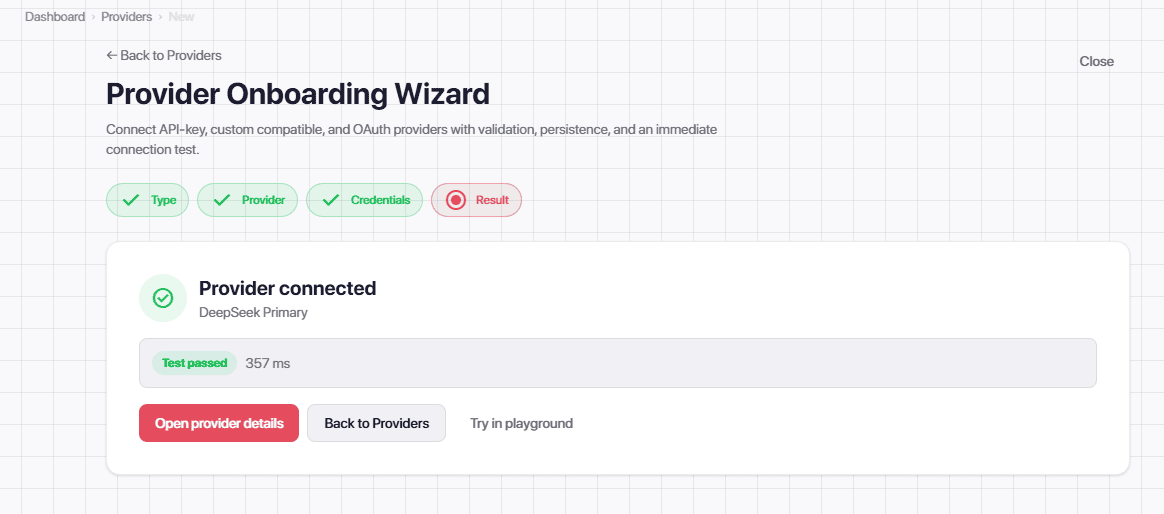
In this guide, we chose DeepSeek.
If everything is done correctly, a successful connection window will appear.
Step 5. Switch Codex to the gateway
Codex reads settings from the config.toml file in the .codex folder in your home directory (C:Usersname.codexconfig.toml on Windows). Before making changes, back up the file. Add two lines at the top:
model = "auto/best-coding"
model_provider = "omniroute"
and add the provider block at the end:
[model_providers.omniroute]
name = "OmniRoute"
base_url = "http://localhost:20128/v1"
env_key = "OMNIROUTE_API_KEY"
wire_api = "responses"
The gateway key is passeden fully restart ChatGPT:
setx OMNIROUTE_API_KEY "sk-your-key-from-the-dashboardu"Pay attention to the line wire_api = “responses”. Older guides use the value “chat” — with it, recent versions of Codex refuse to create a chat and show a configuration error.

The app may also ask you to complete Windows setup — this is a one-time permission that allows the agent to work with files.

After the restart, the OmniRoute label appears in the bottom-left corner of the app — Codex has detected the custom provider. If a promo for a new OpenAI model pops up, choose “Continue with current model”, otherwise the selector will switch back to OpenAI models.

Step 6. First launch
Ask Codex a question — and the agent works as expected: it thinks, runs commands, and replies. The only difference is that it’s no longer GPT doing the reasoning, but DeepSeek.

You can see the proof in the gateway logs (the Logs section in the dashboard): every Codex request went to deepseek-v4-pro, and you can see the codex-desktop key, response time, and token usage.

Also, the logs include a tokens column: each Codex request carries 40,000–50,000 input tokens — the agent sends the model a huge system prompt every time. At DeepSeek pricing, that’s just a few cents, while at OpenAI API pricing it would be an order of magnitude more expensive.
Step 7. Additional features
The next level is local models. If you have Ollama with models installed, OmniRoute connects it like a regular provider — the Local Providers section in the directory supports Ollama, LM Studio, llama.cpp, vLLM, and others.

On the Ollama page, click the Add Connection button.

Leave the default address http://localhost:11434/v1, no key needed.

If everything is set up correctly, all local models will be imported.

A funny detail: when asked “who are you and where are you running,” the local model respondedodels don’t know where they’re running — even when they’re spinning on your computer
The catch: where the smart router sends your code
Up to this point, Codex was working with the auto/best-coding model — a built-in “smart” route that automatically picks the best coding model from those available. And this is where the test uncovered its most unpleasant finding.
When we disabled DeepSeek, simulating an exhausted quota, the auto-router didn’t switch to our local Ollama. Instead, it went through the directory of no-auth providers — services that require neither an API key nor registration. First, it ran into Auggie — a wrapper around the Augment CLI tool, which wasn’t even installed. Then it tried the DuckDuckGo web proxy. And in the end, it got a response from the big-pickle model in OpenCode’s anonymous pool — stealth models whose real owners are unknown.

For a coding agent, this means your code and prompts can silently end up with an unknown provider you know nothing about — not even the company name. Meanwhile, the OmniRoute README promises a “100% local proxy.” Bottom line: it’s better not to use auto-models like auto/best-coding for production code.
Step 8. Combo: managed fallback, DIY
The right way to set up a “relay” is the Combos section. A combo is an explicit chain of models with a chosen routing strategy — third-party providers don’t get into it.

We build a codex-relay combo in two steps: primary — DeepSeek, backup — a local model. We don’t touch ready-made templates like Free Stack ($0) — those are exactly what assemble a round-robin from third-party free pools.

If everything is done correctly, the codex-relay combo will be created and enabled.

All that’s left is to switch Codex from auto-routing to the combo — change one line in config.toml and restart ChatGPT:
model = "codex-relay"Testing
Send any prompt in the desktop ChatGPT app.

You can also see in the logs that the agent is responding using DeepSeek.

Now for the main trick: in the Providers section, toggle DeepSeek off — simulating a used-up limit.

And ask the next question in the same chat.

DeepSeek is disabled, but the session continues.

The trade-off is speed: a minute and a half per answer versus a few seconds on DeepSeek. Falling back to local is an emergency move that keeps you from losing the session, not a full replacement for a cloud API.
We also enabled prompt compression — the Compression Settings section, Caveman engine in the gentle lite mode. The agent didn’t break from compression, and the input prompt in the final request came in at 38,500 tokens versus 42,000–52,000 earlier — there are savings, but it’s nowhere near the promised “minus 90%.” That said, a fair test of aggressive compression engines on agentic tasks is a separate topic.

Limitations and nuances
OmniRoute really turns a coding agent into a builder kit: the interface and the agent’s hands come from one vendor, while the brains can come from anyone else — including your own computer. The “free desktop ChatGPT + DeepSeek + Ollama” combo works, and provider failover does too: we showed how an agent, after losing its cloud API, finished the answer on a local model.
That said, there are a number of limitations:
- Privacy is questionable with auto-routing. The smart router is willing to send requests to anonymous no-auth providers. So for production code, we only set up explicit combos of trusted providers.
- Local fallback is constrained by VRAM, and it’s not just about model size. On an RTX 3060 12 GB, a 30 billion-parameter model did not fit at all, while an 8 billion-parameter model only ran fast after enabling flash attention and compressing the KV cache. For comfortable agent work with a local model, you need 24+ GB of VRAM — or patience.
- A recent Node.js is mandatory. On versions below 22.22.2, the gateway runs with warnings and native module bugs.
- The project is young and changes quickly. Some instructions online are already outdated (like wire_api = “chat”), and built-in services like Auggie may reference utilities that aren’t installed.
Also, “200+ free providers” in practice turns out to be a directory where “free” is either limited, anonymous, or local. And the main practical takeaway from the test is not about saving money: OmniRoute shows in the logs what is usually hidden — how much data coding agents send to models for each request, and exactly where that data goes. For that transparency alone, it is worth setting up a local gateway — even if limits are not an issue for you yet.
It depends on the region. In most countries, including Ukraine, ChatGPT is accessible without a VPN — a free OpenAI account is all you need. A VPN is only required where the service is not officially available. Furthermore, the setup from this article doesn’t require a VPN at all: the OmniRoute gateway runs locally on your computer, and requests are sent directly to your chosen providers.
For the desktop app and the Codex coding agent, an OpenAI account is required — a free one works perfectly, and a Plus subscription is not mandatory. Basic responses in the web version are available without logging in, but chat history, settings, and agent features won’t work without an account.
The free tier provides access to current OpenAI models with daily limits — once these are exhausted, the service switches to a lighter model. The Codex coding agent in the desktop app also works with a free account, and pairing it with OmniRoute eliminates the issue of limits: requests are routed to third-party models like DeepSeek or a local Ollama setup.
Plus removes some limits, gives priority access to new models, and offers expanded quotas for agent features. The free version restricts the number of requests you can make to flagship models. For the scenario described in this article, a subscription isn’t necessary: Codex works with a free account, and the computation load is handled by providers connected via OmniRoute.
Common reasons include an outage on OpenAI’s end (check their status page), hitting the daily limit of the free tier, using an outdated app, or regional restrictions. When using it with OmniRoute, there are additional nuances: the gateway requires Node.js version 22.22.2 or higher, and your config.toml file must include wire_api = “responses”. If it still has the old “chat” value, recent versions of Codex will throw a configuration error.
For everyday tasks, yes. However, never share confidential data, passwords, or keys in the chat. We also identified a specific risk while testing OmniRoute: “smart” auto-routes like auto/best-coding might silently send your prompts and code to anonymous, no-auth providers whose owners are unknown. For production code, only use explicit chains (combos) from trusted and verified providers.
Claude, Gemini, DeepSeek, Qwen, and Mistral all offer free tiers. Additionally, DeepSeek and Qwen can be run locally via Ollama, requiring no cloud connection at all. In this article, we demonstrated how to integrate these models directly into the desktop ChatGPT interface using OmniRoute.
Published:21.07.2026
